
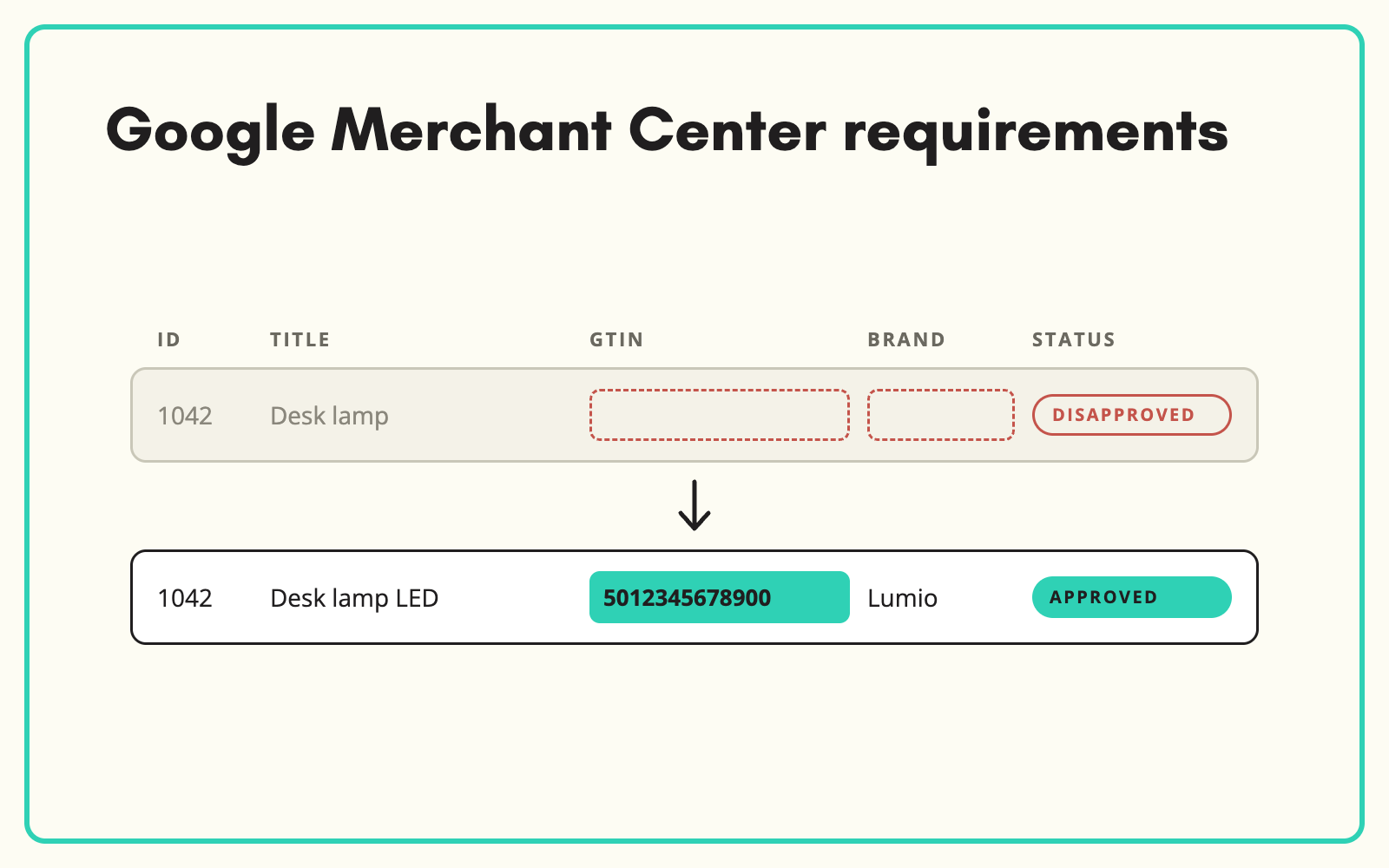
Google Shopping feed requirements decide which products Merchant Center approves, limits or disapproves, and most failures trace back to gaps in the source product data rather than the feed itself. SKULaunch checks products against the fields Google needs, fills missing identifiers, brands and attributes, and rebuilds titles, so more of the range is eligible to show in Shopping.
The problem
Merchant Center diagnostics list thousands of issues: missing identifiers, invalid GTINs, missing size or colour for apparel, generic titles. The feed is usually built from the website data, so the gaps are in the source. Feed tools can rename fields and patch titles with rules, but they cannot invent an attribute the catalogue never held. Every disapproved product is lost Shopping visibility, and limited products show less often than they should.
Before and after
An illustrative example from a home and garden retailer's Merchant Center diagnostics.
Before: the diagnostics
1,240 items disapproved or limited: missing GTIN (410), invalid GTIN (85), missing brand (230), missing size and colour (515). Titles such as "GDN-HOSE-30" on the products that were approved.
After: in SKULaunch
- GTINs added where manufacturer sources publish them, and checked for valid length and check digit
- Brand filled from manufacturer data
- Size and colour extracted from descriptions and images, then normalised to consistent values
- Titles rebuilt from the attributes, brand first, then "expandable garden hose, 30 m, green"
- Products with no manufacturer GTIN identified, so identifier settings can be handled correctly
How it works in SKULaunch
- Set up a Google channel. Map the feed fields Google needs to your own attributes.
- Measure. See which products are missing what Google needs, by category.
- Fill and fix. Enrich identifiers, brands and attributes from datasheets, images and manufacturer websites, then regenerate titles and descriptions from the verified values.
- Export the feed data. Send complete data to your feed tool, ecommerce platform or Merchant Center route. Confirm the best route for your set-up with us.
The core Google Shopping feed requirements
These are the fields that matter most for approval. Check Google's product data specification for your target countries, because rules vary by country and category and Google updates them.
- id: a unique, stable identifier for each product. Use your SKU and never reuse it.
- title: the product name, up to 150 characters, matching the landing page. No promotional text.
- description: an accurate description, up to 5,000 characters. No links or promotional claims.
- link: the product's landing page on your verified domain.
- image_link: the main image. No watermarks, overlaid promotional text or placeholder images.
- availability: in stock, out of stock, preorder or backorder, matching the page.
- price: matching the price on the landing page, with currency.
- brand: required for most new products.
- gtin: required where the manufacturer has assigned one.
- mpn: used when there is no GTIN, together with brand.
- condition: required when products are used or refurbished.
- google_product_category: Google can assign one automatically, but supplying the right category helps when its choice is wrong.
Apparel adds colour, size, gender and age group in many countries, and variants need an item_group_id so Google knows they belong together. For products with no manufacturer GTIN, such as own-made or custom items, Google's identifier_exists setting applies instead. Getting that wrong, or using a made-up GTIN, causes as many problems as leaving the field blank.
Common disapprovals and where they come from
- Missing or invalid GTIN. A product data gap. Source the real barcode or set identifiers correctly.
- Missing brand. A product data gap, often on own-label or legacy lines.
- Missing apparel attributes. The size and colour exist in the title or description but not as fields.
- Price or availability mismatch. A sync problem between the feed and the website, not an enrichment problem. Fix the feed schedule.
- Image issues. Placeholder images or promotional overlays. Fix the image source and link assets to the right product.
Sort the diagnostics this way first. Enrichment fixes the first three groups at scale. The last two need feed and website fixes, and nothing in the product record will clear them.
Titles carry most of the weight
Once approved, the title is the strongest relevance signal in Shopping. Lead with the product type and brand, then the attributes people search on: size, colour, material, capacity. Supplier-coded titles are the most common fixable reason approved products underperform, and they are quick to regenerate once the attributes are complete.
What changes
Fewer disapprovals, better titles, and more of the range eligible to show in Shopping, fixed at the source so the next feed run does not bring the errors back.
Common questions
What are the required fields for a Google Shopping feed?
At a minimum: id, title, description, link, image_link, availability and price, plus brand and gtin or mpn for most products, and condition for used or refurbished items. Apparel and some countries add more.
Does SKULaunch replace our feed tool?
No. It fixes the source data your feed is built from. Your feed tool or platform still produces and schedules the feed.
Can it find GTINs we do not have?
Where manufacturer sources publish them, yes. Products without a manufacturer GTIN should be handled with Google's identifier settings rather than an invented code.
Why are products limited rather than disapproved?
Limited usually means the product can show but with reduced reach, often because identifiers or key attributes are missing. Filling them is the fix.
Does it help performance, not just approval?
Better titles and complete attributes usually improve relevance as well as eligibility.
Is there a direct Merchant Center connection?
Data is exported for your feed or platform route. Confirm the set-up that fits your account with us.
More on Google Merchant Center product data, the Google Shopping feed template, validating GTINs, filling missing attributes, channel-specific attributes and marketplace syndication.

