Assets in drives,
inboxes and desktops.
Bring them home.

Digital asset management built into your product data. One shared library where every image and document is versioned, linked to its products, and made channel-ready automatically.

The Notes App for Power Users - Techbeta X Webflow Template
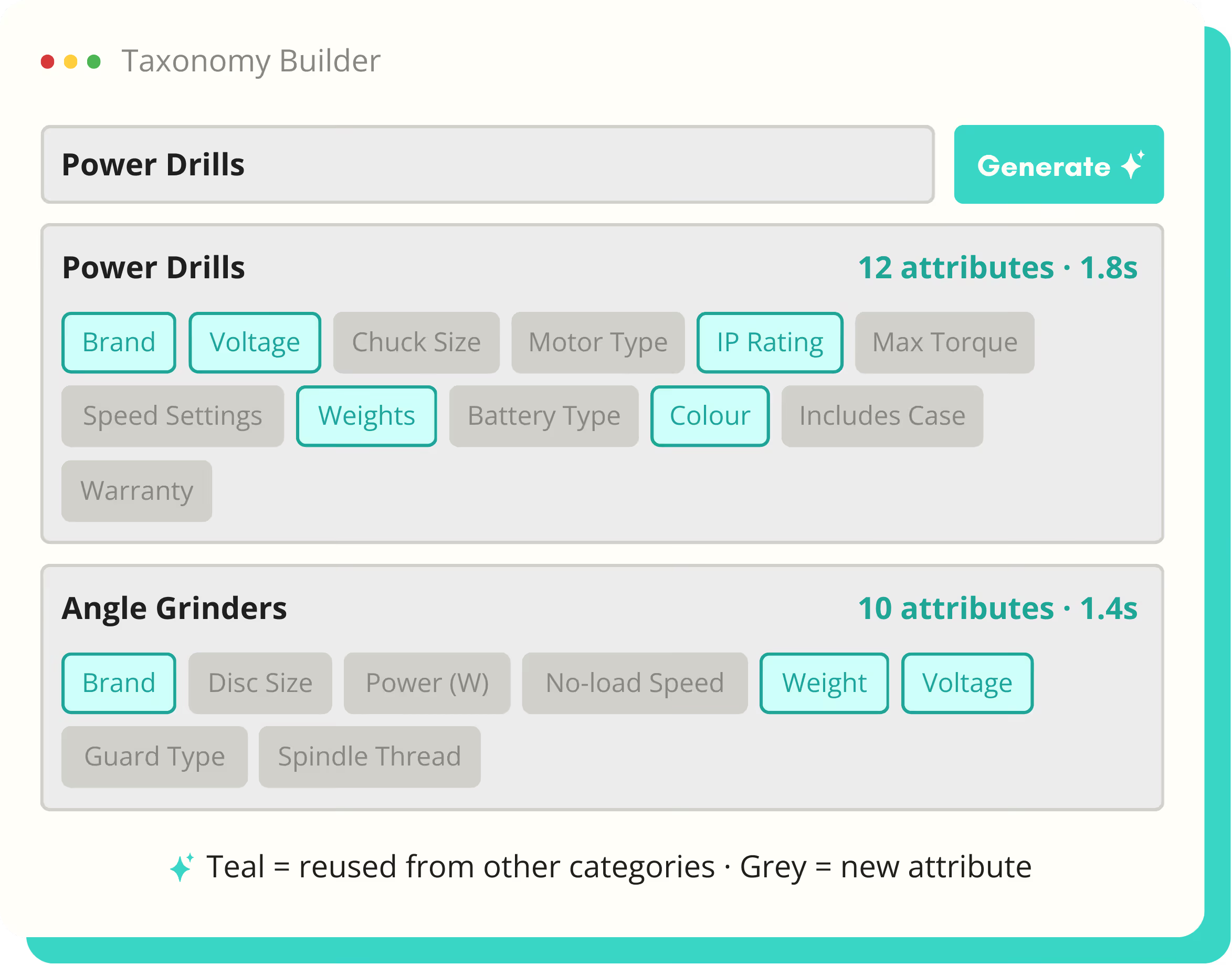
Screenshot of a Taxonomy Builder tool showing attributes for Power Drills and Angle Grinders, with teal highlighting reused attributes and grey for new attributes.
One
Master per asset, every version kept
Any
Number of products per asset

Every

Change tracked, any version restorable

One

Master asset, published everywhere

Any

Product category, any industry
How it works

The missing-image problem. Finally solved.

Product data gets managed; product assets get emailed. The right image exists somewhere, in someone's downloads, three versions old. SKULaunch treats assets like product data: one shared library, versioned, linked to the products it belongs to. Standalone, or alongside the full pipeline.

🖼️

Shared asset library

Images, documents and rich media in one place, reused across the catalogue instead of duplicated per product.

🔗

Product linkages

One asset serving hundreds of SKUs, or one product carrying a full gallery. Linked, not copied.

AI transformations

Channel-ready sizes and formats generated from the master automatically.

SHARED LIBRARY & VERSION CONTROL

One library. Every version on record.

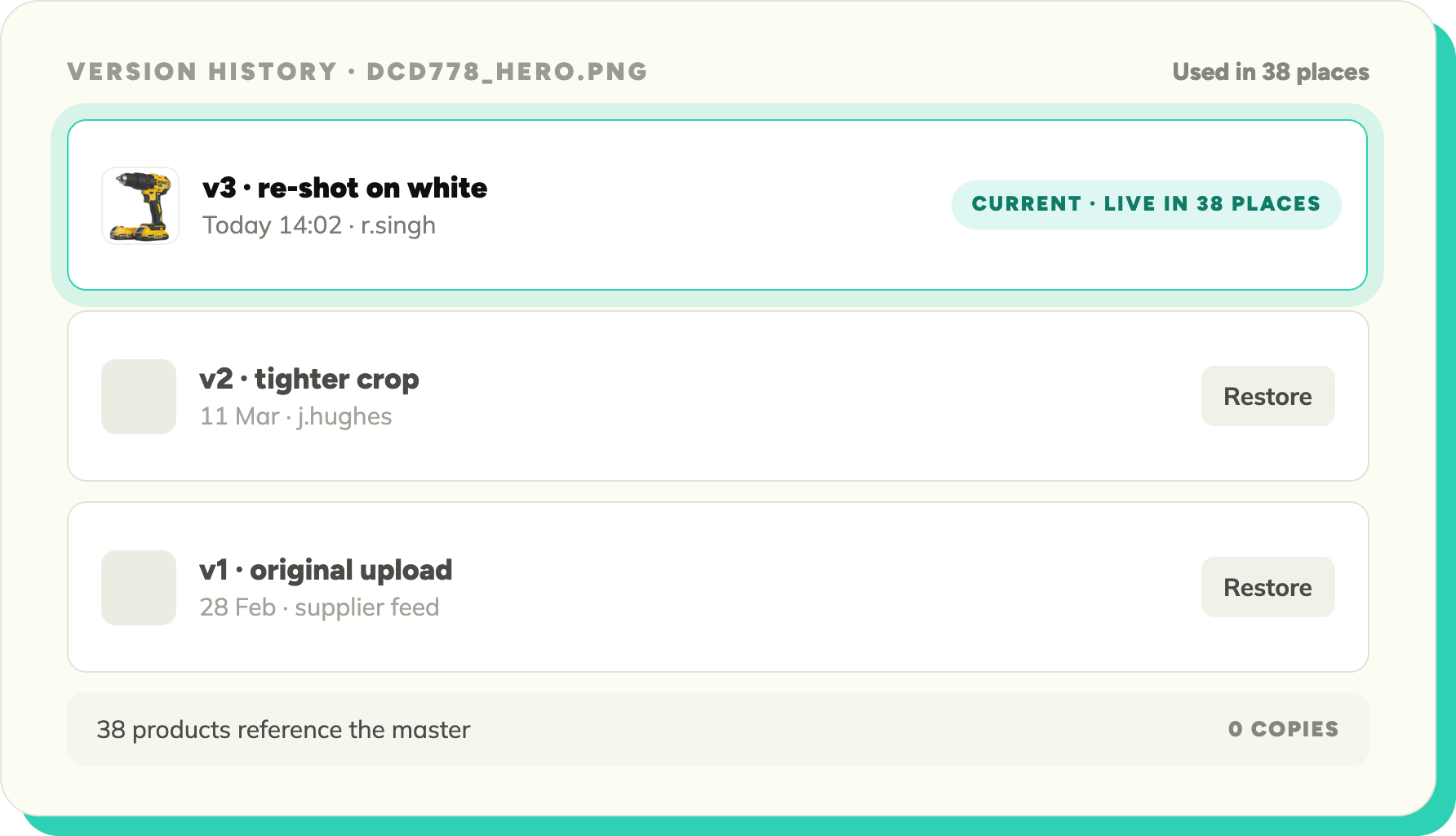
Every asset lives once, in a library the whole team shares. Upload a new version and the old one isn't overwritten, it's kept: you can see what changed, when, and roll back if the new crop was a mistake. Replace a master and every product using it updates, because they were never carrying copies.

Blue check mark symbol indicating completion or approval.
One shared library for images, documents and rich media
Blue check mark symbol indicating completion or approval.
Full version history on every asset, any version restorable
Blue check mark symbol indicating completion or approval.
Replace an asset once, it updates everywhere it's used
Blue check mark symbol indicating completion or approval.
No duplicates: products reference the master, never a copy
Schema detail for Voltage attribute showing name as Voltage, data type Number, unit V (volts), accepted values 10.8, 12, 14.4, 18, 36, 54, required Yes, used in 14 categories.
MULTI-PRODUCT, MULTI-ASSET LINKAGES

One image, two hundred SKUs. Link it once.

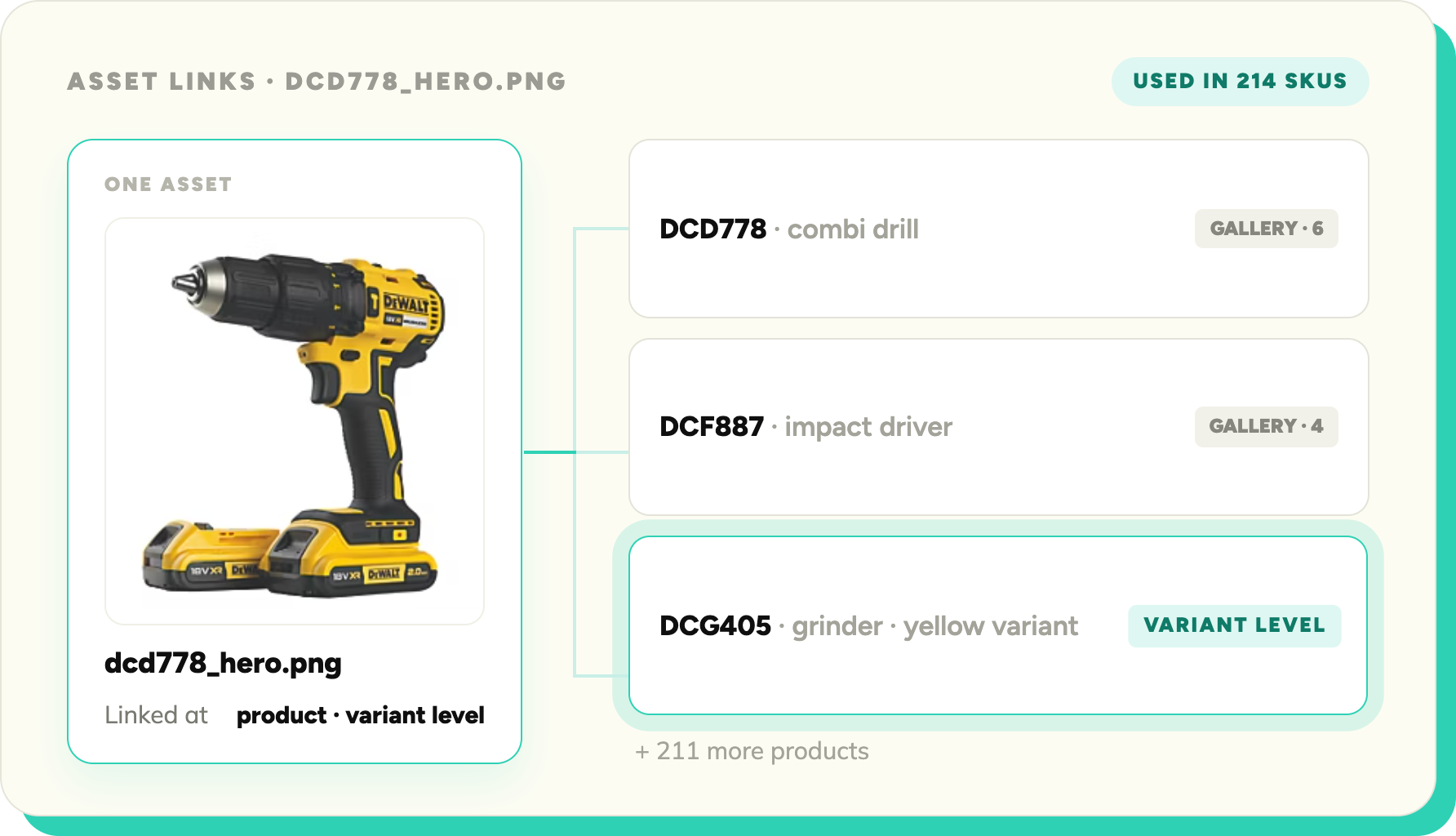
A brand logo belongs on every product. A spec sheet covers a whole range. A single SKU might need a gallery, a certificate and an installation guide. SKULaunch links assets to products in both directions, at product or variant level, so the relationship is data, not a filename convention.
Blue check mark symbol indicating completion or approval.
Link one asset to any number of products and variants
Blue check mark symbol indicating completion or approval.
Link any number of assets to one product: galleries, documents, certificates
Blue check mark symbol indicating completion or approval.
Variant-level linking: the red one gets the red photo
Blue check mark symbol indicating completion or approval.
See everywhere an asset is used before you change it
Blue check mark symbol indicating completion or approval.
Linkages carried through to publish, so every channel gets the right files
Attribute library listing shared definitions for Voltage, Brand, IP Rating, and Weight with their data types, usage notes, and number of categories used.
AI TRANSFORMATIONS

Every channel wants different files. AI makes them all.

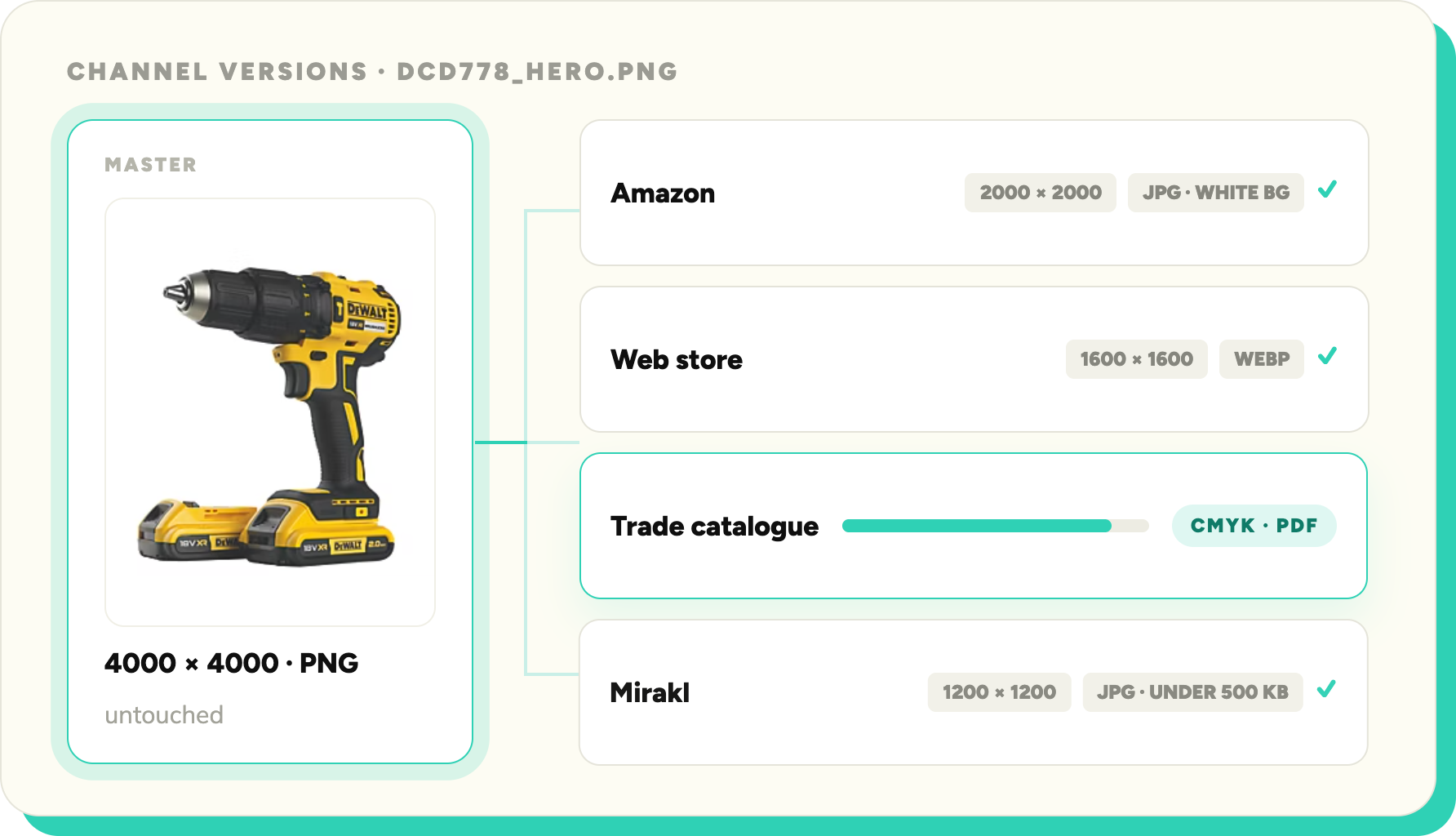
Each marketplace and platform has its own image spec: dimensions, background, format, size limits. Keeping a folder of manual exports per channel is how assets rot. SKULaunch generates each channel's version from the master automatically, so you maintain one asset and publish many.
Blue check mark symbol indicating completion or approval.
Channel-spec versions generated from one master asset
Blue check mark symbol indicating completion or approval.
Sizes and formats matched to each channel's requirements
Blue check mark symbol indicating completion or approval.
Update the master and regenerate every channel version
Blue check mark symbol indicating completion or approval.
Masters stay untouched: transformations never degrade the original
Blue check mark symbol indicating completion or approval.
Assets published with their products, formatted per channel
Review queue showing three tools: Makita DHP484Z pending review with options to approve, edit, or regenerate; Bosch GSB 18V-55 approved; DeWalt DCD796 pending review.
also in data structure

Explore the full platform

DAM sits alongside PIM in Data Structure. Explore the rest.

DATA STRUCTURE

DAM

You're here.

DATA STRUCTURE

Mapping & Normalisation

Normalised data scores higher - fewer format errors, fewer missing values.

Explore →
DATA STRUCTURE

Product Data Quality

After normalisation, quality scoring tells you what's ready to publish.

Explore →
DATA STRUCTURE

PIM

One record per product: attributes, variants and channel values, with assets linked.

Explore →
ENRICHMENT & CONTENT

Content Generation

Normalised attribute values produce more accurate, consistent product descriptions.

Explore →

Bring your worst folder of assets to the demo

Book 30 minutes. We'll load your assets, link them to products and generate channel-ready versions live.

© 2026 SKU Launch Ltd. All rights reserved.
Built for e-commerce teams who are done doing it by hand.