

What a product spec sheet should contain, how it differs from a data sheet, TDS and SDS, and how to turn PDFs into structured attributes.
A spec sheet is a document that sets out a product's technical specification: dimensions, performance figures, materials, compliance marks and what comes in the box. It is usually a one or two page PDF. Manufacturers write them for specifiers, installers and buyers. Retailers and distributors receive them by the thousand from suppliers. A product specification sheet holds most of the attributes a catalogue needs. The catch is a layout designed for people to read, not for systems to load.
What is a spec sheet?
A spec sheet, short for specification sheet, describes one product or a small product family in technical terms. It answers the buyer's questions before they commit. Will it fit? Will it do the job? Does it meet the standard?
The format varies widely. Some manufacturers publish a tidy two-column table of specifications. Others mix marketing copy, photos, line drawings and specification tables across several pages. Some cover one SKU. Others cover a whole range in a single matrix, with one column per variant.
For a catalogue team, the spec sheet is often the most complete source of product data available. The supplier's price file may hold 15 columns. The spec sheet for the same product may hold 40 facts. Getting those facts into structured product attributes is where most of the work sits.
Spec sheet vs data sheet vs TDS vs SDS
These terms are used loosely, and suppliers often label documents inconsistently. The working distinctions:
- Spec sheet (product specification sheet): a product's technical specification for buying and specifying. Common across tools, lighting, furniture, building products and appliances. Not regulated in format.
- Data sheet (product data sheet, datasheet): broadly the same thing. In electronics and electrical components, "datasheet" is the standard term, and it often includes ratings, performance curves and pin or wiring diagrams.
- Technical data sheet (TDS): most common for chemical and material products such as adhesives, sealants, paints and coatings. It covers performance properties, coverage, curing times and application instructions. Like a spec sheet, its format is set by the manufacturer.
- Safety data sheet (SDS): a regulated document, not a marketing or specification document. It sets out the hazards of a chemical substance or mixture and how to handle, store, transport and dispose of it safely.
The SDS deserves precision. In Great Britain and the EU, the requirement comes from REACH. HSENI's guidance on REACH safety data sheets sets out when one is needed. The main case is a substance or mixture classified as hazardous under the CLP Regulation. The SDS must follow a fixed structure of 16 headings, set out in Annex II of REACH. It must also be supplied in the official language of the market where the product is sold.
That has practical consequences for a catalogue team. An SDS is a compliance document to collect, store, version and link to the product, not a source to rewrite. A finished product such as a cordless drill is not a substance or mixture, so an SDS is not normally the document that describes it. A tub of tile adhesive is likely to need both a TDS and an SDS.
What a good product specification sheet contains
A spec sheet that is easy to buy from, and easy to turn into product data, covers these sections:
- Identification: brand, product name, model number, manufacturer part number, GTIN, and the variant it covers if part of a range.
- Short description: one or two sentences on what the product is and what it is for.
- Technical specification: the category-specific performance attributes, each with a value and a unit. Voltage, power, capacity, speed, flow rate, IP rating.
- Dimensions and weight: product dimensions, weight, and packaged dimensions and weight, with units stated.
- Materials and finish: body material, finish, colour, with a standard reference such as a RAL code where relevant.
- Compliance and certification: marks (CE, UKCA), relevant standards, test certificates and ratings.
- Contents and compatibility: what is in the box, required accessories, compatible products and spares.
- Installation, use and care: key requirements, or a reference to the full manual.
- Warranty: length and conditions.
- Document control: issue date and version, so a buyer can tell whether the sheet is current.
The last section is the one most often missing. A spec sheet without a version or date cannot be trusted when two copies disagree.
Worked example: a cordless drill spec sheet as structured attributes
Take a typical spec sheet for an 18 V cordless combi drill. The PDF has a product photo, a paragraph of marketing copy, a bullet list of features and a specification table. Here is what it holds once turned into product attributes:
- Brand / model / MPN: taken from the header and footer of the sheet
- Voltage: 18, unit V
- Motor type: Brushless (from the feature bullets, not the table)
- Chuck type: Keyless
- Chuck capacity: 13, unit mm
- Maximum torque: 60, unit Nm
- No-load speed, gear 1: 0 to 500, unit rpm, split into minimum 0 and maximum 500
- No-load speed, gear 2: 0 to 2,000, unit rpm
- Hammer function: Yes
- Drilling capacity (wood / steel / masonry): 38 / 13 / 13, unit mm, as three separate attributes
- Weight: 1.6, unit kg, with a note on whether the battery is included
- Battery included: Yes, quantity 2, capacity 2.0 Ah, chemistry Li-ion
- Charger included: Yes
- Vibration and noise: declared values with units and uncertainty, stored as separate attributes
- Warranty: as stated, often conditional on registration
Four things in this example are typical of spec sheets in general. Facts sit in more than one place: brushless is in the feature bullets, not the table. One printed line holds several attributes: "38 / 13 / 13 mm" is three. Ranges need splitting. Some values carry conditions, such as weight with or without battery, that change their meaning. A body-only variant of the same drill shares most of these values but has no battery or charger. That is why spec sheets for ranges need careful handling.
Why spec sheets are hard to use at catalogue scale
One spec sheet is easy. A person reads it and types the values in. A range review with 3,000 new SKUs and 900 spec sheet PDFs is a different job. Four problems make it hard.
PDF layout is not data. A PDF stores text positions on a page, not a table structure. Copying a specification table out of a PDF often scrambles rows and columns. Two-column layouts read across the columns. Values in images or scanned pages are not text at all.
Multi-product line cards. Many suppliers publish one sheet for a range: a matrix with ten columns for ten variants and shared rows for common specifications. Each value has to be assigned to the right SKU, which means matching column headings to part numbers. Some values apply to all variants. Some apply only to one.
No consistent vocabulary. One sheet says "Max torque", another "Torque (hard)", a third "Tightening torque". Units vary, decimal commas appear, and the attribute names do not match your schema.
Versions drift. Manufacturers update specifications without changing the file name. The PDF on the supplier portal may differ from the one emailed last year. Without a date or version on the sheet, there is no way to tell which is current.
The result is familiar to any data team. Spec sheets get attached to the product page as downloads, and the structured attributes stay empty. Filters and comparisons cannot use a PDF. The facts are on the site, but not in a form the site can work with.
How to extract data from a spec sheet
There are three practical routes, and most teams use a mix.
Manual keying. A person reads the sheet and enters values into the PIM or a spreadsheet. Accurate for small volumes when the person knows the category. Slow, and error rates rise with volume and fatigue.
Template-based parsing. Rules or templates read a known layout: "the value to the right of 'Voltage' in the table on page 1". Fast and reliable for suppliers with stable layouts. Breaks when the layout changes and needs a new template per supplier.
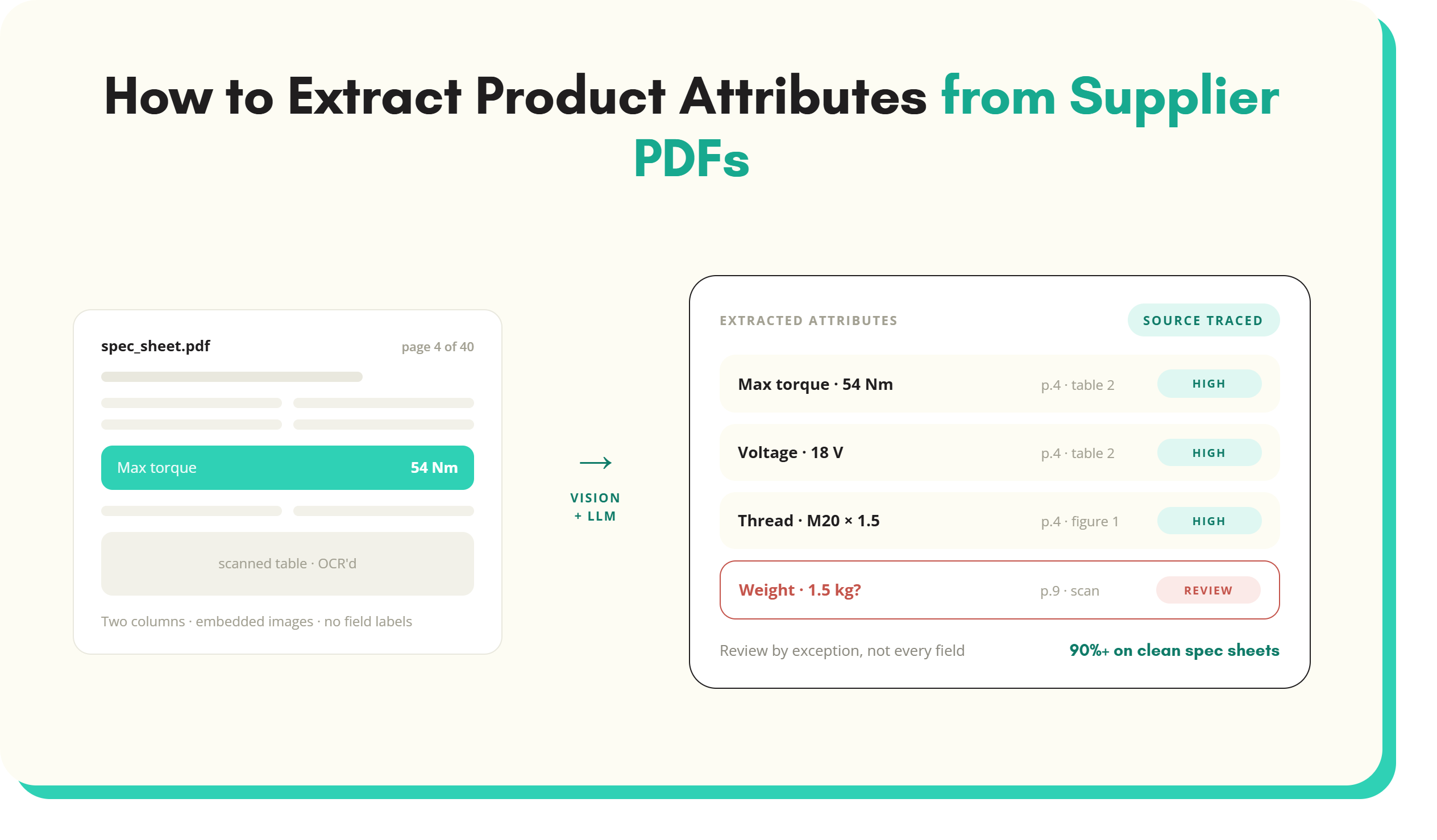
AI extraction. Models read the document as a whole: tables, bullets, footnotes and, with the right tooling, images and scanned pages. They map what they find to your schema for the product's category. This handles varied layouts and line cards far better than templates. It also needs checks, because a model can misread a value or assign it to the wrong variant. The guide to extracting product attributes from PDFs covers the methods in more depth.
Whichever route, the same steps apply:
- Classify the product first, so you know which attributes to look for.
- Extract against the schema, not freely. Every value lands in a defined attribute.
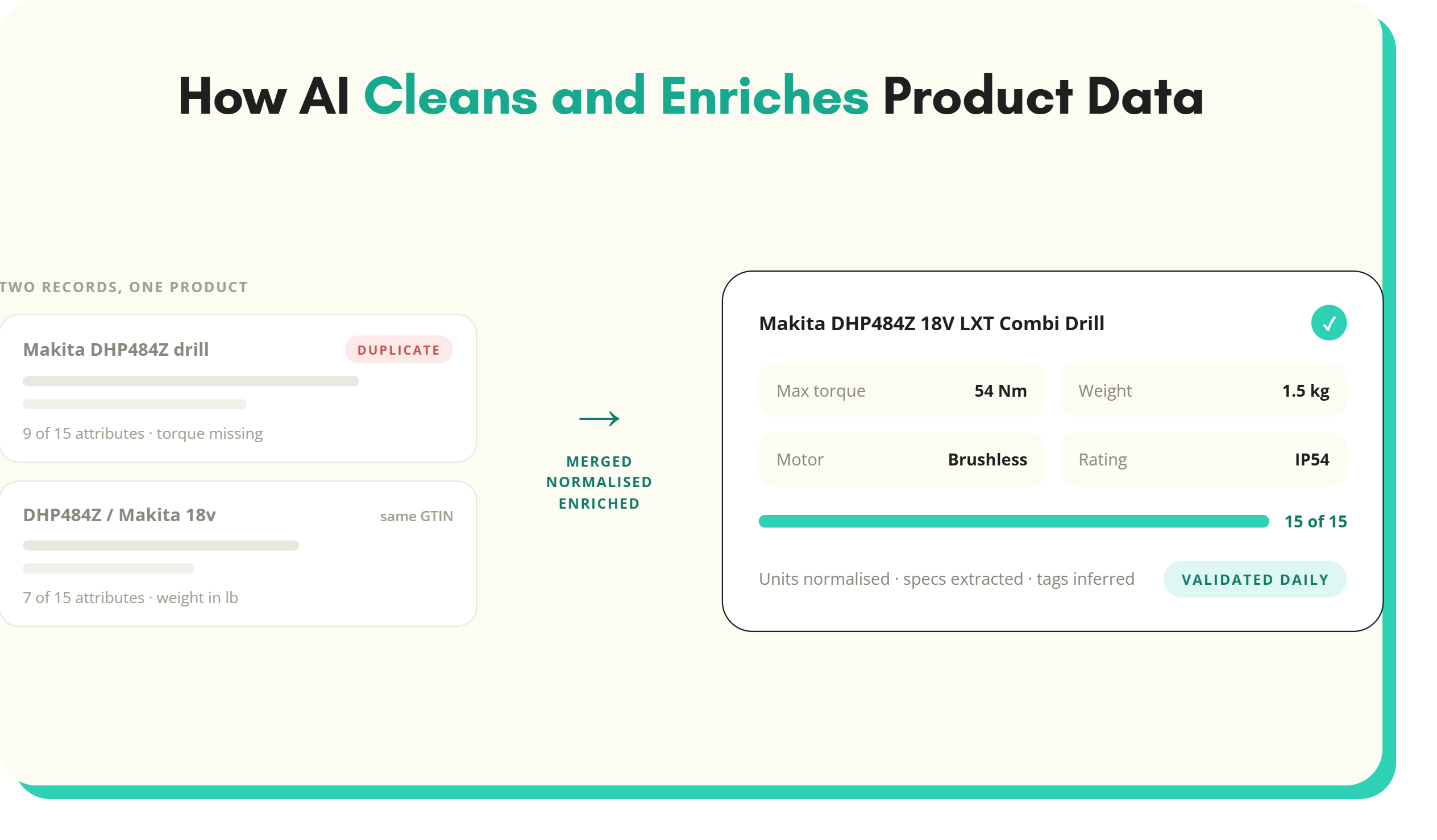
- Normalise units and values to your value lists as part of extraction. The guide to product data normalisation covers how.
- Keep the source reference: the document, the page and the version for each value.
- Review exceptions, such as low-confidence values, conflicts with supplier spreadsheets and missing mandatory attributes.
SKULaunch reads supplier PDFs in this way. It is described on the AI product data extraction page, along with how it can extract data from PDF datasheets into category attributes for review.
How to template spec sheets for suppliers
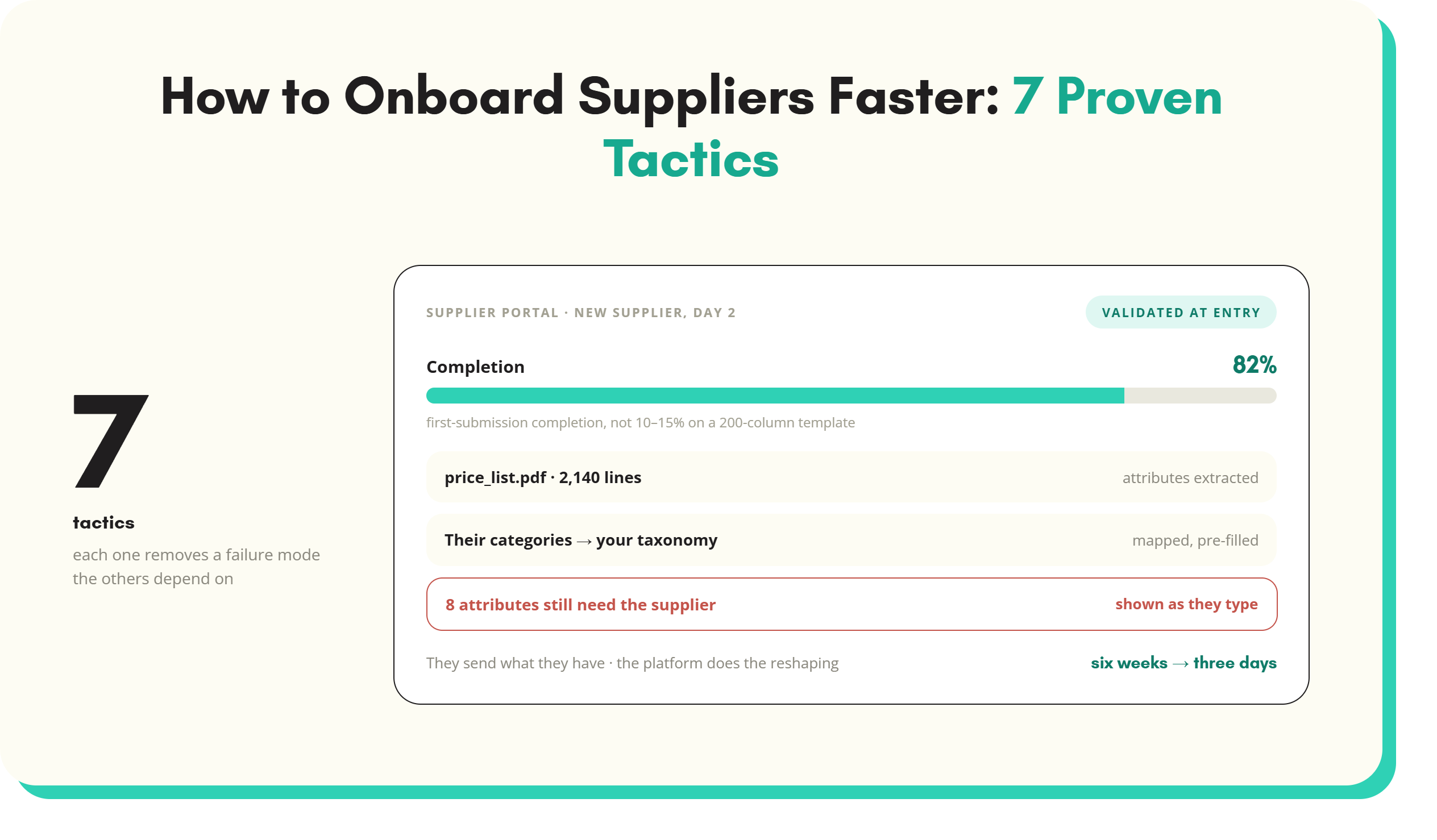
The cheapest extraction is the one you never have to do. Where suppliers will cooperate, ask them for structured data alongside the spec sheet, not instead of it.
- Send a category template listing the attributes you need, with units and allowed values, not a generic 200-column spreadsheet. A supplier of drills should see drill attributes.
- Mark mandatory attributes and explain why each matters: "voltage is the first filter buyers use".
- Fix the units in the column header and the format in the guidance: numbers only, decimal point, no unit in the cell.
- Provide value lists for colour, material and other list attributes, as a drop-down where possible.
- Ask for identifiers as text, so spreadsheets do not strip GTIN leading zeros.
- Still collect the PDF, with an issue date, as the customer-facing document and audit trail.
Many suppliers will still send only the spec sheet, especially smaller ones. Plan for both: templates where suppliers will fill them, extraction where they will not. The product data extraction guide covers how to combine the two at scale.
Spec sheet FAQs
What is a spec sheet?
A spec sheet, or specification sheet, is a document that sets out a product's technical details. That covers dimensions, weight, performance, materials, compliance marks, contents and warranty. Manufacturers publish them, usually as PDFs, for buyers, specifiers and installers. Retailers and distributors use them as a main source of product attributes. The data has to be extracted and structured before filters and comparisons can use it.
What is the difference between a spec sheet and a data sheet?
In most industries the two terms mean the same thing: a document describing a product's technical specification. "Datasheet" is the standard term in electronics and electrical components, where the document often includes ratings, performance curves and wiring diagrams. "Spec sheet" is more common for tools, lighting, furniture and building products. Neither has a regulated format, unlike a safety data sheet.
What is a technical data sheet?
A technical data sheet (TDS) describes the performance and use of a material or chemical product, such as an adhesive, sealant, paint or coating. It typically covers properties, coverage, curing or drying times, temperature ranges and application instructions. Its format is set by the manufacturer. It is different from a safety data sheet, which is a regulated document covering hazards and safe handling.
Is a safety data sheet the same as a spec sheet?
No. A safety data sheet (SDS) is a regulated document for hazardous chemical substances and mixtures. Under REACH it follows a fixed structure of 16 headings and covers hazards, safe handling, storage, transport and disposal. A spec sheet describes a product's technical specification for buying and has no regulated format. Catalogue teams should store and link an SDS as supplied, not rewrite it.
What should a product specification sheet include?
A good product specification sheet starts with identification: brand, model, part number and GTIN. It adds a short description and the technical specification with units. Then dimensions and weight, materials and finish, compliance marks, box contents and compatibility. Installation or care notes, warranty and an issue date or version complete it. The date matters because manufacturers update specifications without always changing the file name.
How do you extract data from a PDF spec sheet?
Data can be extracted from a PDF spec sheet by manual keying, template-based parsing or AI extraction. Whichever method is used, classify the product first and extract values into the attributes defined for its category. Normalise units and values, and keep a reference to the source page. Review low-confidence values and conflicts before publishing. AI extraction copes best with varied layouts and multi-product line cards.
Key takeaways
- A spec sheet sets out a product's technical specification, and it is often the richest source of attributes a catalogue team receives.
- Spec sheet, data sheet and TDS are manufacturer formats. An SDS is a regulated REACH document with 16 fixed headings, to be stored and linked, not rewritten.
- A good spec sheet covers identification, specification with units, dimensions, materials, compliance, contents, warranty and a version date.
- At catalogue scale, PDF layouts, multi-product line cards, inconsistent vocabulary and version drift make spec sheets hard to use.
- Extract against a category schema, normalise as you go and keep the source reference for every value.
- Send suppliers category templates with units and value lists, but plan to extract from PDFs for suppliers who will not fill them.
See it in practice: extract many products from one supplier catalogue PDF, send suppliers a product data template and product data extraction.
See SKULaunch in action
Watch how we handle AI enrichment, supplier onboarding, and catalogue scale in a live 30-minute demo.

.avif)