

Procurement, compliance or product data? The three kinds of supplier portal, and how a product data portal works for retailers and distributors.
A supplier portal is a web application where suppliers submit what a retailer or distributor needs from them, through a login or secure link. For product data, a supplier portal replaces the emailed spreadsheet with a structured form that checks each value as the supplier enters it. The same phrase, and its cousin "vendor portal", covers several different systems. So the first job is to separate them.
Three things people mean by a supplier portal
Search for "supplier portal" or "vendor portal" and the results mix three kinds of tool. They share a login screen and not much else.
- Procurement and invoicing portal: the buyer publishes purchase orders, the supplier confirms them, raises invoices and checks payment status. These sit inside or alongside the ERP, or in a procure-to-pay suite such as SAP Ariba or Coupa.
- Supplier registration and compliance portal: new suppliers register their company, bank details and insurance, upload quality and ethical trading documents, and answer risk questionnaires. Finance, procurement and compliance teams own these.
- Product data portal: suppliers submit the product records needed to list and sell their items. That means identifiers, category attributes, descriptions, images, datasheets and safety documents.
Large retailers often run all three, frequently from different vendors. This guide covers the third: the product data supplier portal used by merchandising, ecommerce and product data teams. It is the one that decides how quickly a new range reaches the website with filters that work.
What a product data supplier portal is
A product data portal is a shared workspace between a retailer and its suppliers, built around the retailer's own taxonomy and attribute schema. Each supplier sees only their products. Each product shows the fields its category needs, with the allowed values and units already defined.
The supplier fills in or uploads the data, attaches images and documents, and submits. The retailer's data team reviews, approves or returns records with comments. Approved records flow on to the PIM, ERP or ecommerce platform. The portal is the front door of the wider supplier onboarding software process, not a separate silo.
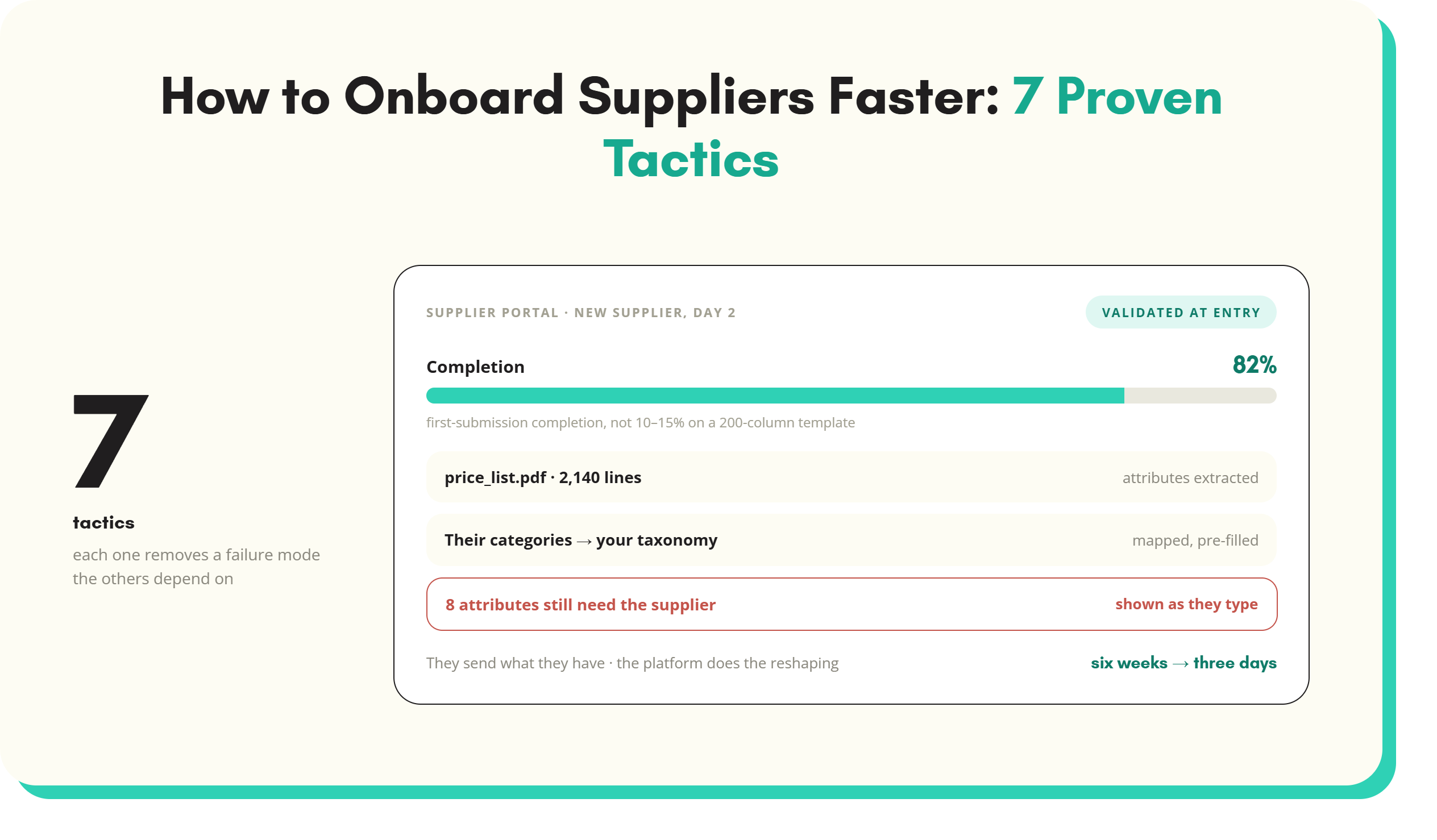
The key shift is where checking happens. With email, the retailer finds problems after the file arrives. With a portal, the supplier finds them while entering the data, and fixes them before anyone else has to look.
Supplier portal vs emailed spreadsheets
Most product data still arrives as a spreadsheet. A 200-column template goes out, comes back two weeks later with columns deleted, dropdowns overwritten and "see attached" typed into the weight field. Images arrive separately, named with the supplier's codes rather than yours. The comparison looks like this:
- Versions: a spreadsheet forks every time it is emailed. A portal holds one live record per product.
- Validation: spreadsheet rules are easy to break or delete. Portal rules run on every field, every time.
- Category fit: one spreadsheet tries to serve every category, so most columns are irrelevant to any one product. A portal shows only the fields that category needs.
- Assets: spreadsheets point to images sent elsewhere. A portal attaches files to the product record at upload.
- Status: with email, nobody knows which supplier is 80% done and which has not started. A portal shows it per supplier and per range.
- Rework: email rework means another round trip and another file version. Portal rework is a comment on a specific field.
How a product data portal differs from a vendor procurement portal
A procurement portal is transactional. It tracks orders, deliveries, invoices and payments against a supplier account. Its item data is thin: a code, a description, a cost price, a pack quantity. It was never designed to hold 40 attributes for a cable gland or the fuel type and cooking area of a barbecue.
Some brands also run their own partner portals where retailers download images and spec sheets. Those are useful sources, but they publish data in the brand's structure, not yours. A product data supplier portal works the other way round. You define the structure, and every supplier fills the same one.
Core features of a product data supplier portal
Per-supplier access link
Each supplier gets a secure link scoped to their own products. Forcing every account manager to create a login is the fastest way to lose them. Good portals support links for occasional suppliers and accounts for regular ones.
Category-specific templates
A kettle needs capacity, wattage and cord length. A cable gland needs thread size, IP rating and cable diameter range. The portal should build each form from the category's attribute set, not from one master template. The guide to supplier data templates covers how to design those field sets.
Validation at entry
Mandatory fields, controlled value lists, number ranges, units of measure, character limits for titles and GTIN check digit validation. Each rule fires on the field, with a message that says how to fix it.
File and image upload
Packshots, lifestyle images, datasheets, safety data sheets, manuals and declarations of conformity, all attached to the right SKU. Bulk upload with filename matching matters once a range runs to hundreds of images.
AI pre-fill from supplier URLs and PDFs
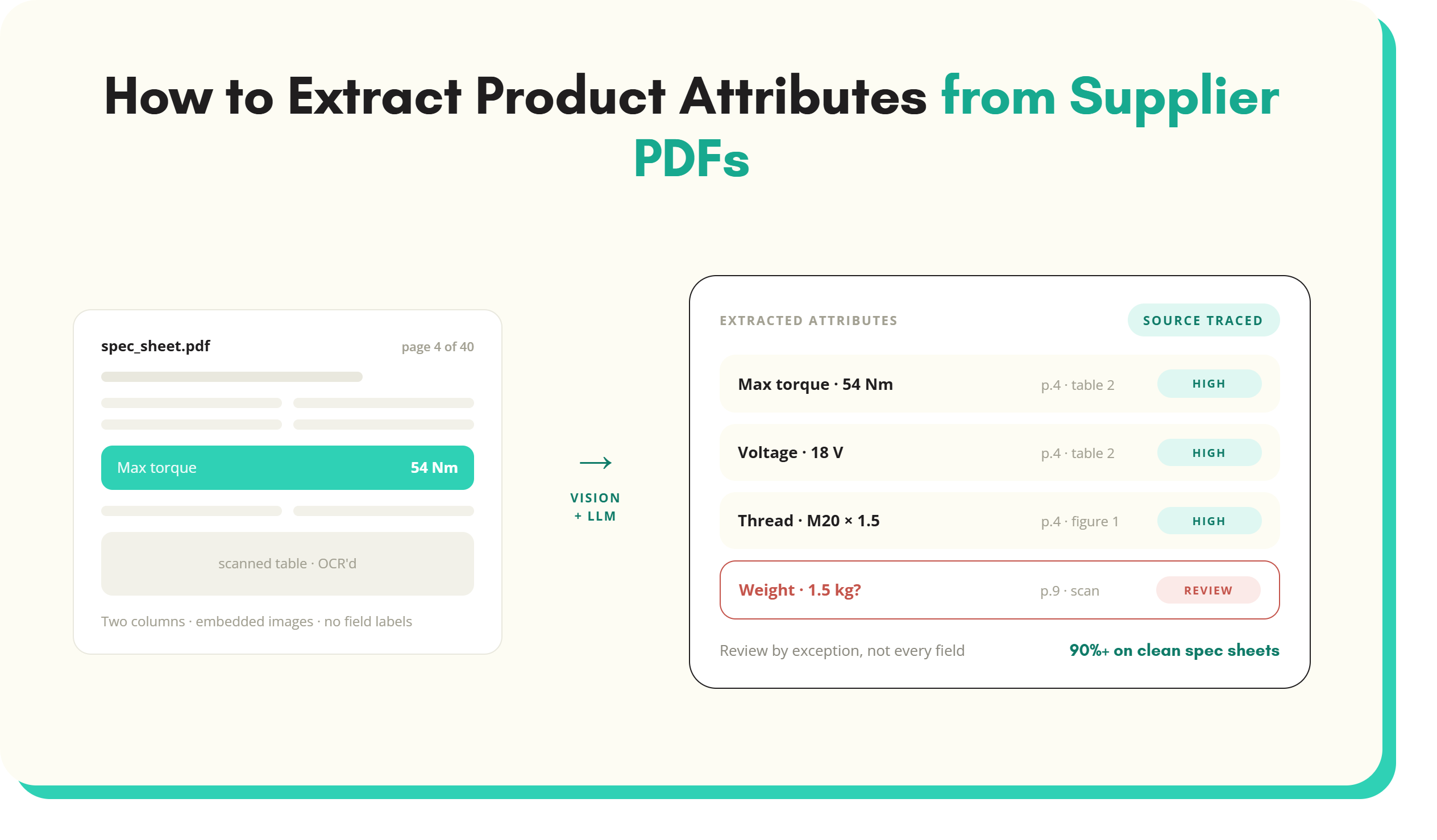
Most suppliers already have the data somewhere: a product page, a catalogue PDF, a spec sheet. Extraction reads those sources and proposes attribute values. The supplier then confirms or corrects them. This cuts typing, but the supplier still owns what is submitted.
Approval workflow
Reviewers approve or return records, ideally field by field with a comment. Returned records go back to the supplier with the exact problem marked.
Status tracking
Completion by supplier, by range and by category, with what is missing and who holds it. This replaces the chase spreadsheet that someone in the data team usually maintains by hand. The SKULaunch supplier portal is one example that combines these features with enrichment downstream.
What good looks like for the supplier
Suppliers decide whether a portal gets used. A supplier account manager may deal with 30 retailers, each with its own template and rules. If your portal is harder than emailing a spreadsheet, you will get the spreadsheet anyway.
- Accept what they already have: let them upload their own file, map their columns once and reuse the mapping next time.
- Ask only what matters: every optional field is a reason to stop. Cut the template to what the category and channels genuinely need.
- Bulk, not one form per SKU: nobody fills 300 web forms. Grid editing and file upload are essential.
- Clear errors in plain words: "Capacity must be a number in litres" beats "Invalid value".
- Save and return: data gathering often spans several people at the supplier.
- Visible progress: show them what is left and when the range is due to go live.
Worked example: onboarding a 300-SKU range through a supplier portal
A homewares retailer signs a new small kitchen appliances supplier. The range is 300 SKUs across four categories: kettles, toasters, blenders and accessories. The figures below are illustrative, but the sequence is typical.
- Prepare the range: the buyer's range list goes into the portal as 300 skeleton records with supplier codes, cost prices and launch date. The data team assigns the four category templates.
- Send the link: the supplier receives one link. They see their 300 products, grouped by category, with the required fields for each.
- Pre-fill from existing sources: the supplier uploads their own 60-column export and a catalogue PDF. The portal maps their columns and extracts wattage, capacity, colour and dimensions into the right fields.
- Fix what validation flags: 41 SKUs have no GTIN. 18 have capacity typed as "1.7 litre" in a numeric field. 9 use a colour outside the list. The supplier fixes each one on screen.
- Upload images: 1,200 images arrive named with supplier codes. The portal matches them to SKUs and flags 22 products with no main packshot.
- Review and return: the data team reviews by category and returns 12 records. One comment reads: "Material says stainless steel, image shows plastic housing. Please confirm."
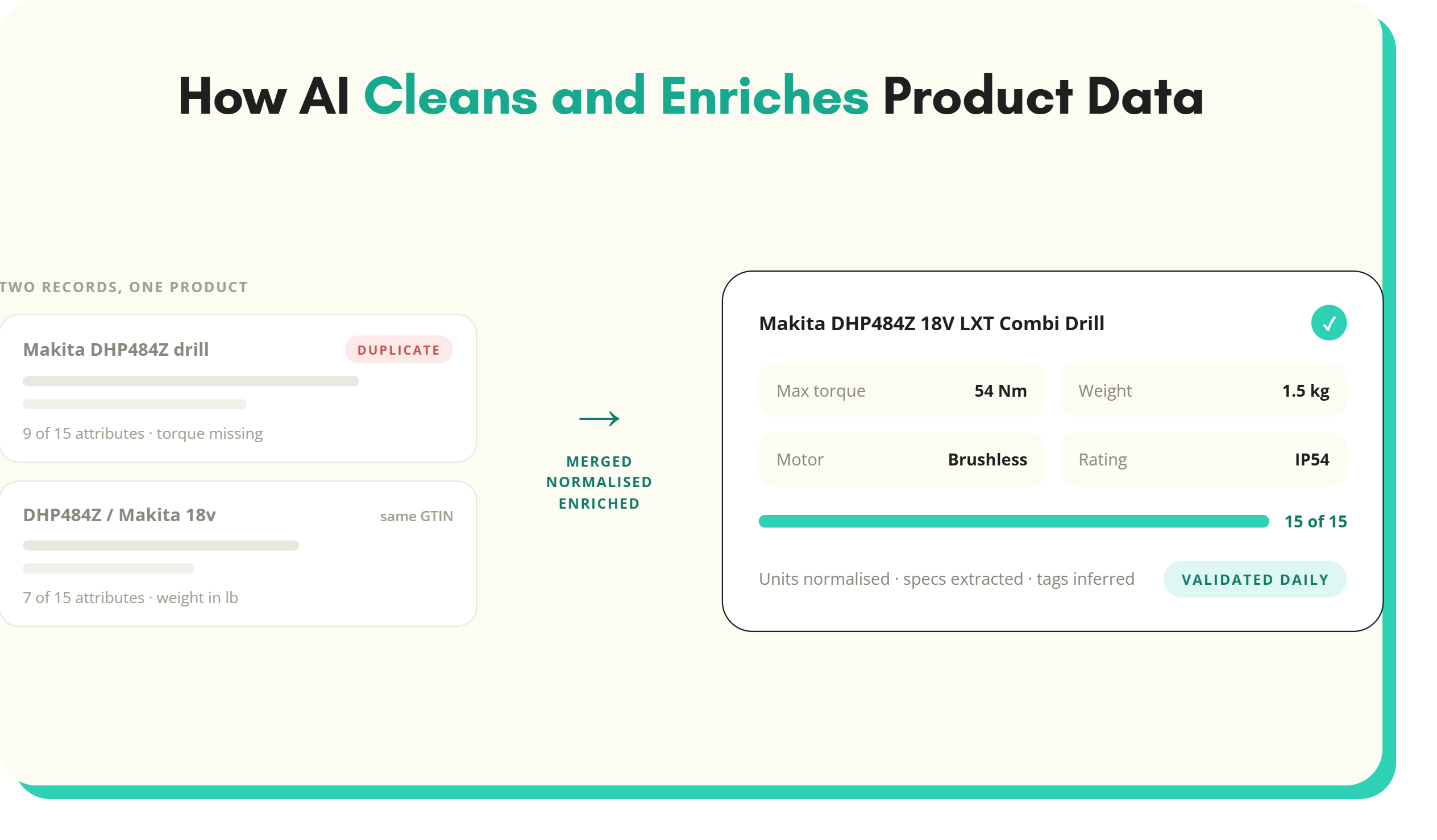
- Approve and publish: approved records move to enrichment, then to the PIM and storefront. The 12 returned records follow a few days later rather than holding up the other 288.
The spreadsheet version of the same range involves several full-file round trips. Each one waits on the supplier's turnaround. SKULaunch reports a 5x improvement in time to live from moving supplier onboarding off email and into its portal. That is the company's own reported result, and your figure will depend on supplier mix and category complexity. The supplier portal for product data use case shows the same flow inside the product.
Supplier portal metrics to track
- Completion rate: the share of required fields filled at first submission, per supplier and per category. Low completion in one category usually points to a bad template, not a bad supplier.
- Time to first submission: days from link sent to first records submitted. This measures supplier friction. If it is long, look at access, template length and how clearly the deadline was set.
- Rework rate: the share of submitted records returned at least once. Track the reasons, because they tell you which validation rules to add.
- Time to live: days from range sign-off to product live and buyable. This is the number the business cares about, and the one the other three explain.
How to choose a supplier portal
Most product data portals look similar in a demo. The differences show up with your categories, your suppliers and your downstream systems. Questions worth asking:
- Does it hold your taxonomy and a separate attribute set per category, or one generic form?
- Can suppliers upload their own spreadsheet and map columns, or must they use yours?
- Can your team configure validation rules and value lists without a developer?
- Does it extract from supplier PDFs and web pages, and does the supplier confirm the result?
- Does it handle updates to existing products as well as new ones?
- Where does approved data go? Check connectors to your PIM, ERP and ecommerce platform. Some portals work upstream of a PIM, others include one.
- How are suppliers licensed? Per-supplier fees discourage inviting the long tail.
- Does it report completion, rework and time to live without exports to Excel?
The supplier onboarding software guide covers the wider evaluation, including enrichment and channel publishing after the portal.
Rollout tips
- Start small: one category, three cooperative suppliers, one real launch date.
- Fix the template first: cut fields before inviting anyone. Adding a field later is easier than winning back a supplier who gave up.
- Pre-load what you know: codes, cost prices and descriptions from the buying file save the supplier retyping them.
- Make it the single route: set a date after which emailed files are not accepted. Suppliers can still upload a spreadsheet inside the portal.
- Name an owner: one person answers supplier questions in the first months.
- Share the numbers: show buyers time to live by supplier. It changes how ranges get scheduled.
The portal is one stage in a longer sequence. The guide to the new product introduction process shows where it sits between range sign-off and launch.
Supplier portal FAQs
What is a supplier portal?
A supplier portal is a web application where a company's suppliers submit information through a login or secure link. Depending on the company, that means purchase orders and invoices, registration and compliance documents, or product data. For retailers and distributors, a product data supplier portal collects identifiers, attributes, images and documents in a structured format. It validates each value as the supplier enters it.
What is the difference between a supplier portal and a vendor portal?
There is no fixed difference. "Supplier" and "vendor" are used interchangeably, and both terms cover procurement, compliance and product data portals. Some organisations use "vendor portal" for the transactional side, such as orders and invoices, and "supplier portal" for onboarding. Check what a tool actually does rather than relying on the name.
What does a product data supplier portal do?
It gives each supplier a category-specific form for their products and validates values at entry. It accepts images and documents against each SKU, and can pre-fill fields from supplier PDFs or web pages. The retailer reviews, approves or returns records with comments. Approved data then flows to the PIM, ERP or ecommerce platform, with status tracked by supplier and range.
Is a supplier portal the same as a PIM?
No. A PIM stores and manages the master product record for internal teams and channels. A supplier portal is the external entry point where suppliers submit data before it reaches that record. Some products combine both. Others sit upstream of an existing PIM and pass approved records into it. The two solve different halves of the same problem.
How do you get suppliers to use a supplier portal?
Make it easier than email. Let suppliers upload their existing files, pre-fill what you already know, ask only for fields the category needs and give clear error messages. Use secure links rather than forcing account creation. Then set a cut-over date after which emailed spreadsheets are not accepted, so the portal becomes the only route to getting products listed.
What should a supplier portal validate?
At minimum, it should check mandatory fields per category, values against controlled lists, and numeric fields with units of measure. It should also check GTIN check digits, title and description length, and image presence and resolution. Validation should run as the supplier enters data, with a plain message on the field. Rules found during review should be added to the portal so the same error cannot be submitted twice.
Key takeaways
- "Supplier portal" can mean a procurement, compliance or product data portal. Retail product teams need the third.
- A product data portal moves checking to the point of entry, so suppliers fix problems before your team sees them.
- Category-specific templates, validation, extraction from supplier PDFs and field-level approval are the features that matter most.
- Suppliers decide adoption: accept their files, ask less and make errors easy to fix.
- Track completion rate, time to first submission, rework rate and time to live per supplier.
See it in practice: a supplier portal for product data, onboard a new supplier range in days and review and approve supplier product data before it goes live.
See SKULaunch in action
Watch how we handle AI enrichment, supplier onboarding, and catalogue scale in a live 30-minute demo.

.avif)