
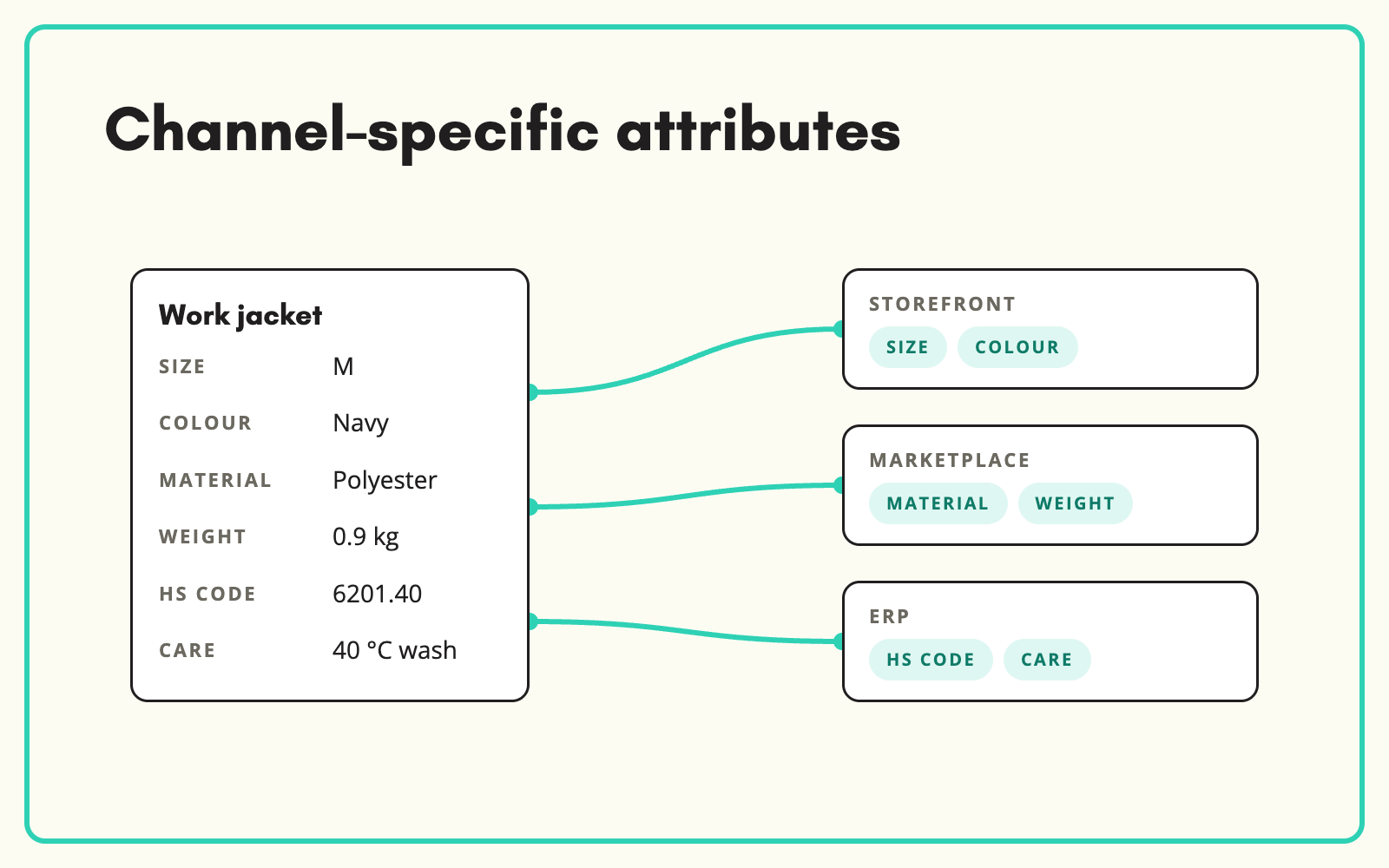
Your website, marketplace and ERP each need a different set of fields from the same product. SKULaunch scopes attributes to channels, so one record holds everything and each destination receives channel specific product data, only what it needs, in the shape it expects.
The problem
Without channel scoping, teams keep a copy of the product per channel: a website version, a marketplace spreadsheet, an ERP extract. Each is edited separately and they drift. Or every channel gets every field, so marketplaces reject feeds with unexpected columns and the website shows internal data it should not.
Before and after
An illustrative example for one product from a homewares retailer across three channels.
Before: three copies
Website description updated in March. Marketplace spreadsheet still has last year's title. ERP extract missing the new dimensions.
After: one record in SKULaunch
- Website: full description, all filter attributes, SEO fields
- Marketplace: title to its formula, required attributes, bullets
- ERP: codes, units, weights and dimensions only
- All three generated from the same approved record
How it works in SKULaunch
- Define channels. Set up each destination, such as your website, a marketplace or the ERP.
- Scope attributes. Choose which attributes each channel receives.
- Measure readiness per channel. See completeness against each channel's requirements.
- Publish or export. Send each channel its fields from the same record.
One record, many views
Hold every fact once, and decide per channel what to show. Content that differs by channel, such as a shorter marketplace title, becomes its own attribute rather than an edited copy of the product. A spec change made once then reaches every channel, while each channel keeps its own presentation.
Deciding channel specific product data
Scoping goes faster when you start from what each destination does with the data:
- Your website: every attribute that drives a filter or comparison, plus descriptions and SEO fields.
- Marketplaces: their required attributes, in their allowed values, and nothing they will reject.
- ERP and trade customers: codes, units of sale, weights, dimensions and classifications.
- Nowhere public: cost prices, internal notes and supplier references. Scope them out explicitly.
Then set required attributes per channel, so readiness reflects what that destination will accept rather than one generic score.
What changes
No more per-channel copies. Every channel gets the right fields from the same up-to-date record, and you can see at a glance which products each channel is still waiting on.
Common questions
Can channels need different copy?
Yes. Hold titles or descriptions for a particular channel as separate attributes.
Can we see if a product is ready for one channel but not another?
Yes. Completeness is measured per channel.
Do we need a separate record for each marketplace?
No. Each marketplace is a channel on the same record, with its own scoped attributes and any fields unique to it, such as a title built to its formula.
Which channels are supported?
Connectors include Magento, Akeneo, Shopify, BigCommerce, Mirakl, Plytix and WooCommerce, plus file exports.
More on channels: different copy for each channel, exporting a filtered set to Excel, marketplace syndication and ecommerce sync.

