
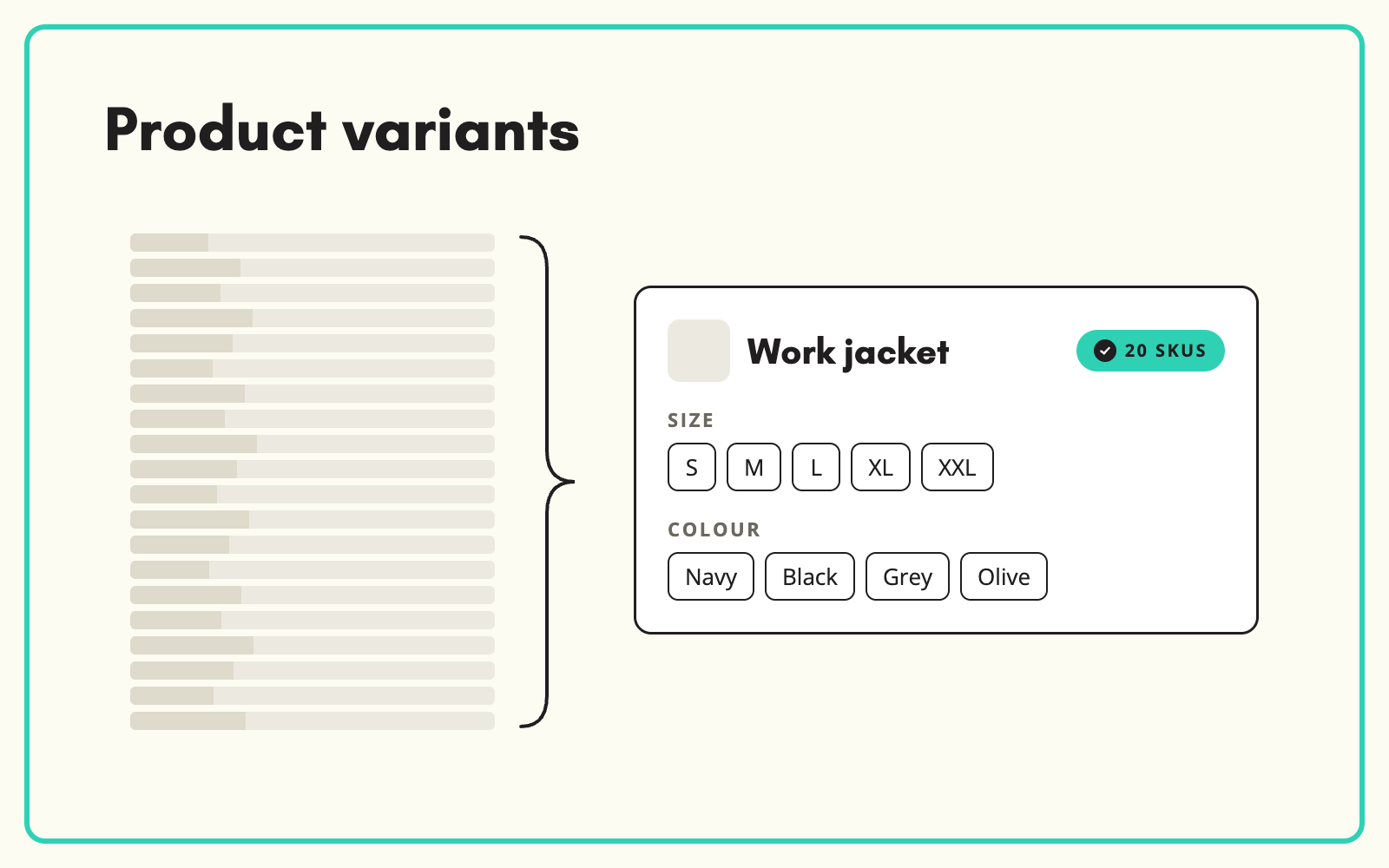
Product variants let you sell one product in several sizes, colours or configurations without creating unrelated records for each. SKULaunch models products as a parent with variants, defines which attributes vary between them, and publishes the structure your ecommerce platform expects.
The problem
Supplier files list every SKU as a separate line. A t-shirt in five sizes and four colours arrives as twenty rows with nothing tying them together. Load that straight into a website and customers see twenty near-identical products, reviews are split twenty ways, and search results fill with duplicates. Building the parent and variant structure by hand means grouping rows, deciding which attributes vary, and keeping shared content consistent across every variant.
Before and after
An illustrative example from a workwear range.
Before: the supplier file
20 rows: SOFTSHELL-BLK-S, SOFTSHELL-BLK-M, SOFTSHELL-NVY-S and so on, each with its own title, description and image list.
After: modelled in SKULaunch
- Parent: Softshell work jacket, with shared description, material and care instructions
- Variation axes: Colour and Size
- 20 variants, each holding only its own SKU, EAN, colour, size and images
- Shared attributes set once at parent level
- Published as one product with options on the website
How it works in SKULaunch
- Define the product model. For each category, decide which attributes are variation axes, such as size, colour or length, and which are shared.
- Group SKUs into parents. Supplier rows are grouped into parent products using their codes, titles and attributes.
- Hold data at the right level. Shared content lives on the parent. Variant-specific values, such as size, colour, EAN and images, live on each variant.
- Publish the structure. Export to platforms that use options and variants, such as Shopify, or configurable products, such as Magento, with the relationships intact.
Choosing variation axes
A variation axis should be something the customer chooses between on the page: size, colour, length, capacity. If the difference changes what the product is, such as a different voltage on a power tool or a different thread on a fitting, it is usually a separate product, not a variant, because the specifications, compliance and search terms differ. Getting this right matters for search too: variants consolidate signals into one page, while separate products let each rank for its own specification.
What changes
Supplier rows become proper products with options. Shared content is written once, variants stay consistent, and the website shows one product per item instead of a wall of near-duplicates.
Common questions
Can a product have more than two variation axes?
Yes, as long as your ecommerce platform supports it. Most ranges work best with one or two.
What if variants have different images?
Images are held per variant, so the navy jacket shows navy images.
Can we change the axes later?
Yes. The product model can be adjusted and products regrouped.
See the PIM platform page, catalogue enrichment, and PIM for Shopify.

.avif)