
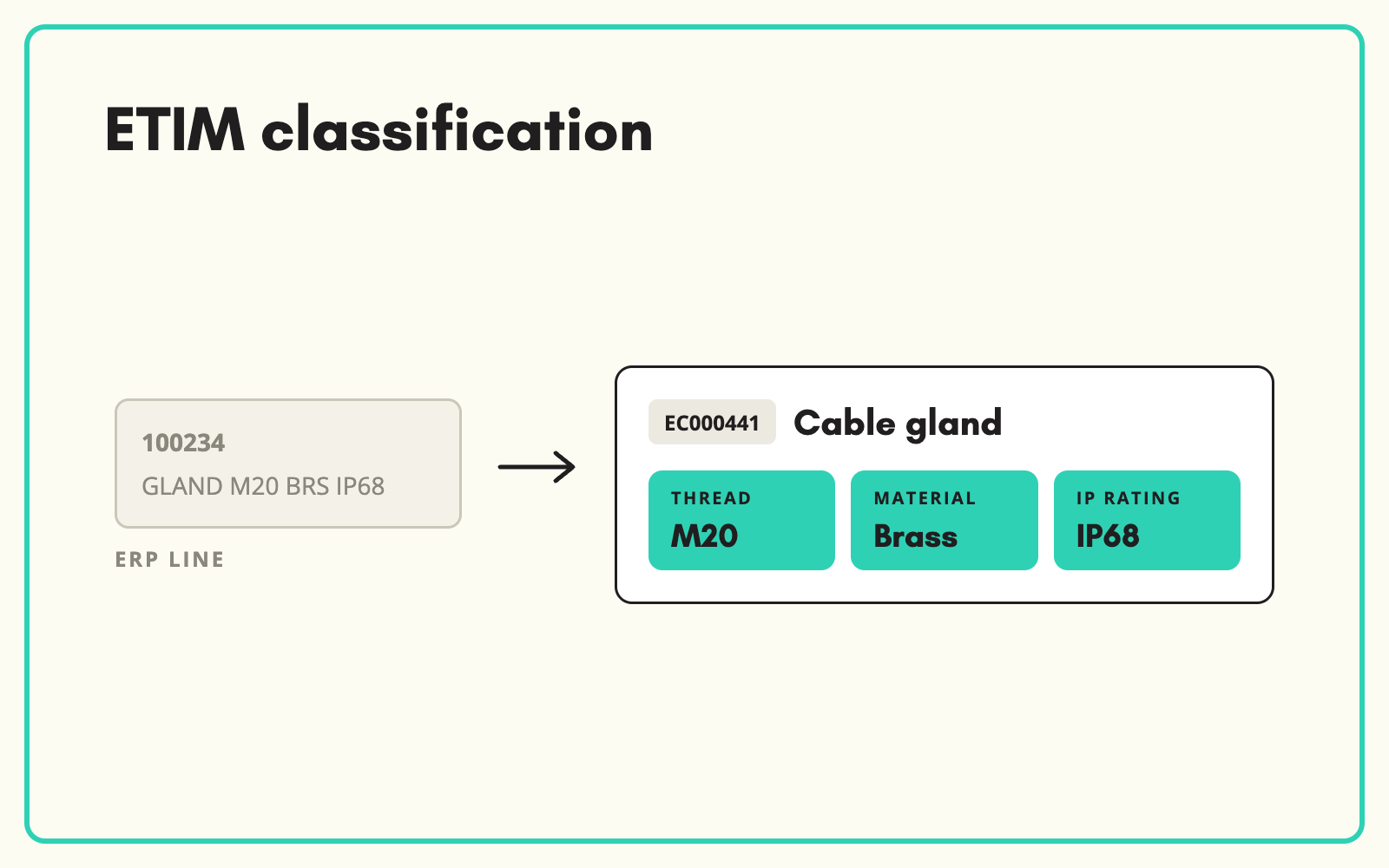
ETIM classification means assigning each product an ETIM class and filling the features that class defines, so customers, buying groups and wholesalers can use your data without remapping it. SKULaunch classifies your catalogue to ETIM from the data you already hold, fills the class features from datasheets and supplier data, and exports the result in the format your customers ask for.
The problem
Electrical wholesalers, buying groups and larger installers increasingly expect ETIM. Your own data may sit in a bespoke taxonomy, an ERP with short descriptions, or a mix of supplier files. Classifying by hand means finding the right class among thousands, then completing each feature with the right value and unit. Most teams either pay for an outside service, or do the top sellers and leave the rest.
Before and after
An illustrative example for a cable gland.
Before: what your ERP holds
CG20BR, CABLE GLAND M20 BRASS IP68, pack 10.
After: classified to ETIM in SKULaunch
- ETIM class: Cable gland
- Thread type: Metric. Thread size: M20
- Material: Brass
- Degree of protection: IP68
- Cable diameter range: taken from the datasheet
- Remaining features filled from the supplier datasheet, with gaps left visible for review
How it works in SKULaunch
- Map your categories to ETIM classes. Each end node in your taxonomy is linked to the matching ETIM class, so classification follows your structure.
- Classify products. Products are assigned an ETIM class from their category, title and attributes, and reviewed before approval.
- Fill the class features. Values already held are mapped to ETIM features, and missing features are extracted from datasheets and manufacturer pages, with values and units in ETIM form.
- Export for customers. Send ETIM-classified data to trade customers and buying groups in the structure they request.
Run ETIM alongside your own taxonomy
You do not have to restructure your website around ETIM. ETIM classes are built for exchanging technical data, not for shopper navigation, and many sit at a level of detail that makes poor website categories. The practical approach is to keep your own taxonomy for the site and hold the ETIM class and features on each product as a second classification. Your customers get ETIM, your shoppers get categories that make sense, and SKULaunch keeps the two in step.
What changes
ETIM stops being a project and becomes part of how products are set up. Trade customers get data they can load straight away, and you no longer turn down data requests because your catalogue is not in the right shape.
Common questions
Which ETIM version do you classify to?
The version your customers require. Data received in other versions is mapped across.
Do we need ETIM data from suppliers to start?
No. Supplier ETIM helps, but SKULaunch can classify from your own data and fill features from datasheets.
Can we keep our own category structure?
Yes, and we recommend it. ETIM is held alongside your taxonomy rather than replacing it.
See ETIM data mapping, what ETIM is, and how to import supplier ETIM data.

.avif)