
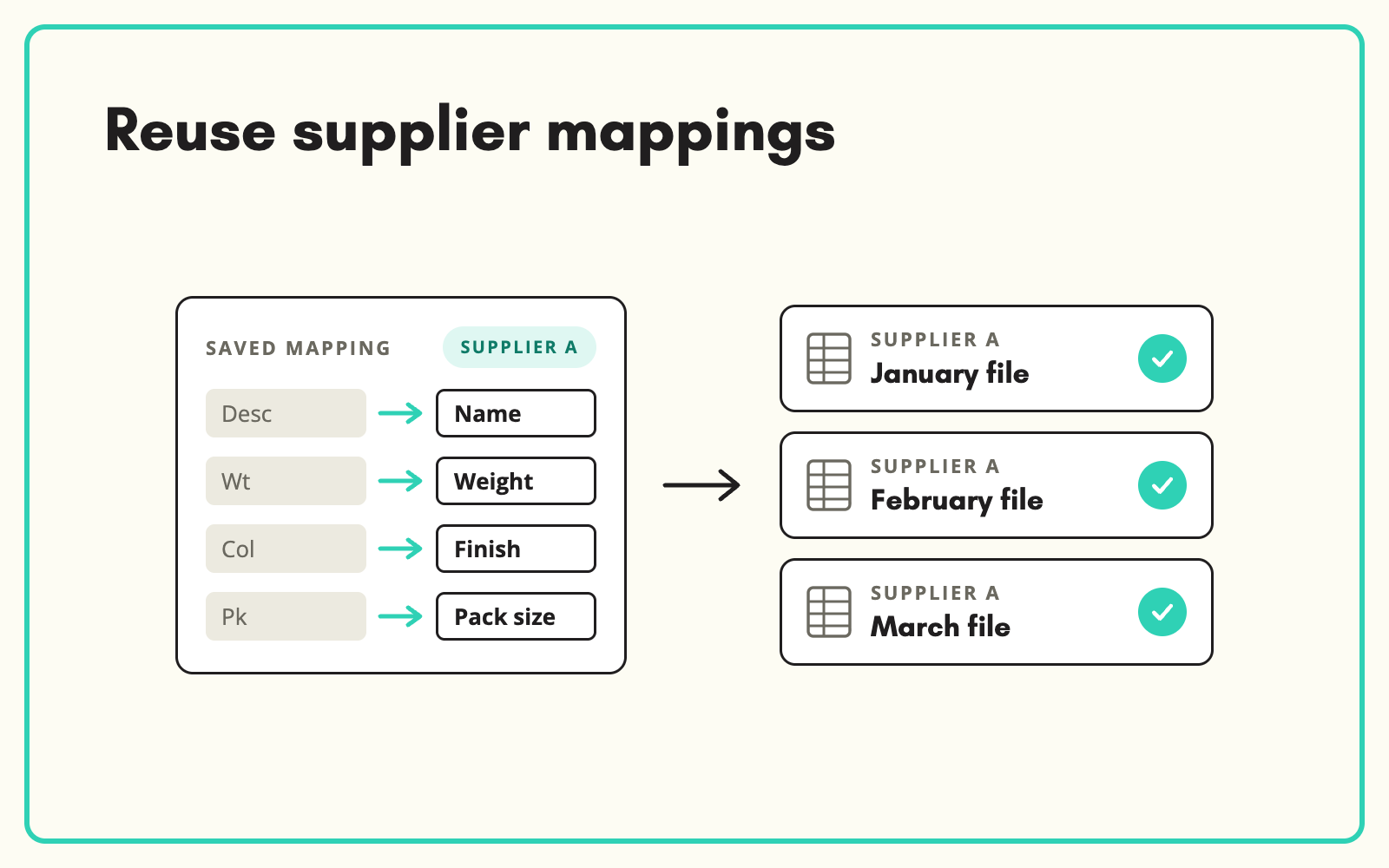
The same supplier sends the same file layout every month, and someone maps it from scratch every month. SKULaunch saves a supplier's column and value mappings as an import template, so their next file imports in the same structure without anyone redoing the work.
The problem
Repeat supplier files are the most predictable data you receive, yet they are often handled as if they were new. Someone opens the price and range update, renames columns, converts units and fixes the same abbreviations as last time. The knowledge of how to process each supplier's file lives in one person's head, so when they are away, the file waits.
Before and after
An illustrative example from a monthly supplier update.
Before: month four of the same file
Columns "Desc", "Sz", "Fin", "Qty". Finish values "BLK", "WHT", "CHR". Mapped by hand again, the third time this year, by the one person who knows what "Fin" means.
After: with a saved mapping in SKULaunch
- Import template saved for the supplier after the first file
- Desc, Sz, Fin and Qty map automatically to your attributes
- BLK, WHT and CHR map to Black, White and Chrome
- Only new columns or values need a decision
How it works in SKULaunch
- Map the first file. Match each column to your attributes and each value to your controlled lists.
- Save it as a template. Store the mapping against that supplier.
- Apply it next time. Choose the template on import and the file maps itself.
- Extend it when things change. New columns or values are raised once, added to the template, and handled automatically from then on.
Templates turn knowledge into process
The real value of a saved mapping is not speed on one file. It is that how to handle each supplier stops being tribal knowledge. Anyone on the team can import any supplier's file, holidays stop causing backlogs, and decisions made once are applied the same way every time. Over a year, a few dozen supplier templates remove a surprising amount of repetitive work.
What changes
Repeat files import in minutes, by anyone, the same way every time.
Common questions
What if a supplier adds a column?
The new column is raised for a mapping decision, then saved to the template.
Can one template work for several suppliers?
Yes, if they share a layout. Most teams keep one per supplier for clarity.
Do templates include value mappings?
Yes. Both column and value mappings are saved.
See how to import supplier spreadsheets, product attribute mapping, and the imports platform page.

.avif)