
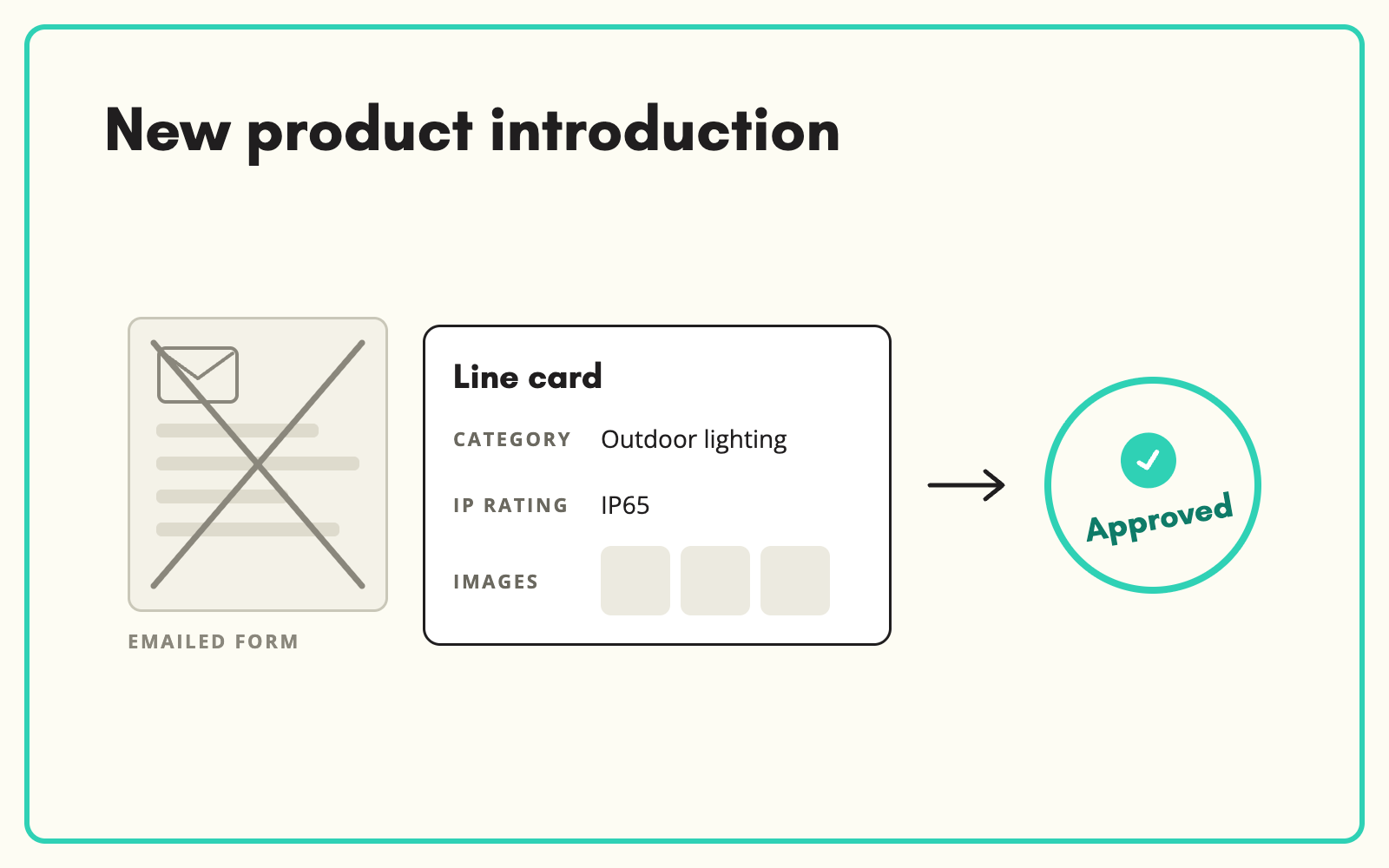
New product setup breaks down at the handover between supplier and retailer. SKULaunch replaces the emailed new line form with a structured submission that suppliers complete against your category requirements, so new lines arrive complete and go live without rekeying. In retail and distribution this is what new product introduction really means: getting a new line from agreed with the buyer to live on every channel.
The problem
Most new line setup still runs on a form. A spreadsheet goes out to the supplier, comes back half filled, and someone in the buying or data team rekeys it into the ERP and the website. Every handover loses data. Mandatory fields come back blank, units land in the wrong column, and images arrive as attachments a week later.
The launch date does not move, so the product goes live thin and gets fixed afterwards, if at all. Multiply that across a seasonal range review and the data team spends the quarter chasing rather than checking.
Before and after
An illustrative example from an outdoor lighting range at a home and garden retailer.
Before: what the new line form sends back
Outdoor wall light, black, LED, see datasheet. Price TBC. Images to follow.
After: what goes live from SKULaunch
- Category: Outdoor wall lights
- Colour: Black
- Lamp type: Integrated LED
- IP rating: IP44, taken from the supplier datasheet
- Colour temperature: 3000K
- Images: three, uploaded by the supplier
- Status: Approved
How it works in SKULaunch
- Set what each category needs. Attributes are scoped to your taxonomy, so a supplier adding an outdoor light is asked for IP rating and lamp type, not the fields for a cable gland. Mark the attributes a supplier must answer as mandatory and leave the rest for enrichment.
- Let suppliers submit on a Line Card. The supplier creates the new item in their portal, completes the category template and uploads images and datasheets. No spreadsheet goes back and forth.
- Review every line. Submissions arrive as Submitted. Approve them, or reject with a reason so the supplier knows exactly what to fix.
- Fill the gaps with AI. AI Tools pull missing attributes from the datasheet, the manufacturer's site or the product images, and content generation writes titles and descriptions from the verified attributes. Nothing publishes until you approve it.
What new product setup involves in retail and distribution
In manufacturing, new product introduction is the journey from design to production. For a retailer or distributor the product already exists. The work is to create it in your systems, describe it to your standard and get it on sale. That usually touches four teams: the buyer who agreed the line, the supplier who holds the data, the data or merchandising team who sets it up, and ecommerce who lists it.
The ERP gets the commercial record: codes, cost, pack sizes, barcodes. The website and marketplaces need much more: category, filterable attributes, images, documents and copy. Most delays happen in that second half, because it depends on the supplier sending things they were never clearly asked for.
A new product setup checklist
- Identifiers: supplier part number, brand, and a GTIN for each pack level you sell
- Category: agreed before data collection, because it decides which attributes are needed
- Mandatory attributes: the ones customers filter on in that category, defined per category
- Logistics data: unit and case dimensions, weights and case quantity. See collecting package dimensions from suppliers
- Images: a minimum count and a stated specification, uploaded rather than emailed
- Documents: datasheets, instructions and any compliance files the category needs
- Content: titles, descriptions and bullets, written by you from verified attributes rather than pasted from the supplier
- Approval: a named person who signs off before the line goes live
Where new line setup slows down
- One form for every category. A 90-column form that asks a lighting supplier about thread pitch gets ignored. Category templates get answered.
- Asking suppliers for marketing copy. You get their copy, duplicated across every retailer. Ask for facts and write the copy yourself.
- Rejecting without a reason. "Incomplete" sends the supplier back to guess. Name the field.
- Launching to hit a date. A thin listing rarely gets revisited. Fix the data before go-live, not after.
If you still need a spreadsheet route for some suppliers, our supplier new line form template sets out the fields that matter.
What changes
Up to 5x faster time to live. The buying team stops rekeying supplier forms. Suppliers see the same requirements every time, so submissions improve after the first round. New lines reach the website complete instead of being patched after launch.
Common questions
What is the difference between new product introduction and new product setup?
In manufacturing, NPI covers designing and producing a product. In retail and distribution, the terms are used loosely for the same job: getting a supplier's new line set up and live in your systems and channels.
How long should new product setup take?
It depends on how complete the supplier data is on arrival. When suppliers submit against category templates, most of the time goes on review rather than chasing and rekeying.
Do suppliers need training?
Very little. The Line Card only shows the attributes for the product's category, with mandatory fields marked, so there is far less to get wrong than on a generic form.
What if a supplier will only send a spreadsheet?
Import it. The file import maps their columns to your attributes, and you can save the mapping for their next file.
Does this replace our PIM or ERP?
No. SKULaunch handles intake, enrichment and approval, then publishes the finished record to your PIM, ERP or ecommerce platform.
More on new lines: supplier onboarding software, category supplier templates and how supplier data approval works.

