
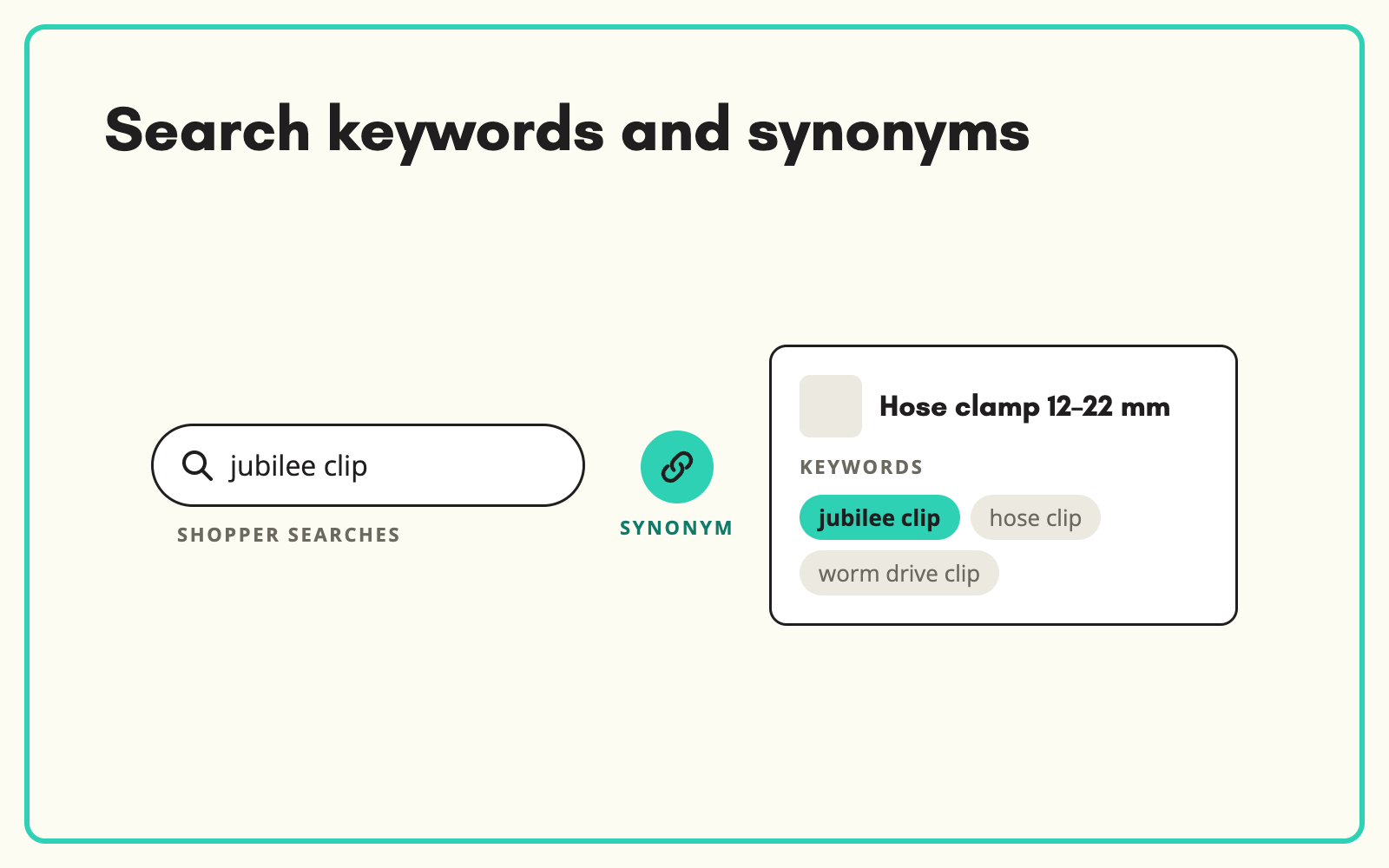
Search synonyms are the alternative words customers use for a product, and site search only finds what is in the data. SKULaunch generates search keywords and synonyms for each product from its attributes and category, so a search for "jubilee clip" finds the product you call a hose clamp.
The problem
Customers search in their own words, not yours. Trade terms, regional names, brand names used as generic names and common misspellings rarely appear in product titles. Customers search, get no results, and leave or pick up the phone. Search teams patch it with synonym lists, one complaint at a time, and the list never keeps up with the range.
Distributors and retailers selling across the UK and Australia feel this more than most. The same product is a spanner in one place and a wrench in another, a torch or a flashlight, a ute tray or a pickup bed. Every new supplier adds another naming convention.
Before and after
An illustrative example from a plumbing and engineering supplies catalogue.
Before: what search can match
Title: "Worm drive hose clamp 12-22 mm stainless". Searches for "jubilee clip", "hose clip" or "half inch hose clamp" return nothing.
After: keywords from SKULaunch
- Synonyms: jubilee clip, hose clip, worm drive clip, worm gear clamp
- Size terms: 12 to 22 mm, half inch hose
- Material variants: stainless, stainless steel, A2
- Use terms: radiator hose, fuel line, garden hose fitting
- Held in a keywords attribute your search platform indexes, not added to the title
How it works in SKULaunch
- Add a keywords attribute. Create a field your site search indexes.
- Generate per category. Keywords are written from the product's type, attributes and common alternative names, with instructions set for each category.
- Review. Check for irrelevant or competitor terms in a grid before approval.
- Publish to search. Send the keywords to your website or search platform through your normal export.
Search synonyms belong to the product, not the search box
Most search platforms support synonym lists. Two-way synonyms treat both words as equal, so "torch" finds flashlights and "flashlight" finds torches. One-way synonyms point one term at another, so "jubilee" finds hose clamps but "hose clamp" does not return everything tagged jubilee. Both are useful for a small set of true equivalents.
The trouble starts when global lists grow. Map "clip" to "clamp" and paper clips start appearing in plumbing results. Map "cable" to "lead" and pencil leads turn up next to extension leads. Holding search terms on each product keeps them precise, because the term only applies where it is true. It also scales with the range: a new product arrives with its keywords already written, instead of waiting for someone to notice zero-result searches.
Product-level terms help beyond your own site. AI assistants and marketplaces read product data to work out what a product is, and the words people actually use make that match more likely.
What good product keywords include
- Trade and generic names. The name a fitter, mechanic or buyer would use, not only the catalogue name.
- Regional terms. UK, Australian and US names where your customers use more than one.
- Brand names used as generics. Jubilee clip, Stanley knife, Rawlplug, where customers use them for the whole category. Use them only where the product genuinely is that type.
- Abbreviations. SS for stainless steel, LED, PIR, as customers type them.
- Size and unit alternatives. Metric and imperial where both are searched, such as 15 mm and half inch.
- Common misspellings. Only the frequent ones. Your search logs show which.
- Use and application terms. What the product is for, when customers search by job rather than by name.
Mistakes to avoid
Do not stuff the title. Keywords in a hidden field help search without making the product name unreadable. Do not add competitor brand names for products that are not theirs. Do not generate fifty terms per product. Ten good ones beat fifty weak ones that pull the product into unrelated results. And start from your search logs: the zero-result report tells you which categories need keywords first.
Manual versus at scale
A merchandiser can write good keywords for twenty products in an afternoon. Nobody can do it for 40,000, and nobody keeps it up as ranges change. Generating terms per category from verified attributes, then reviewing them in bulk, gets the whole catalogue covered and keeps new lines consistent with the old. Your team spends its time on judgement, removing a bad term or adding a local one, rather than on typing.
What changes
Fewer zero-result searches, and products found by the words customers actually use, with new lines arriving search-ready.
Common questions
What are search synonyms in ecommerce?
Alternative words that should return the same products, such as torch and flashlight. They can be held in the search platform as global lists or on each product as keywords.
What is the difference between one-way and two-way synonyms?
Two-way synonyms are interchangeable in both directions. One-way synonyms send one term to another without the reverse. Product-level keywords avoid most of the conflicts that global lists create.
Will this work with our search platform?
If it can index a product field, yes.
How do I find which synonyms customers need?
Start with your zero-result and low-click searches in site search reports, then generate keywords for the categories they point to.
Can we add our own terms?
Yes. Edit or add terms during review, before anything is published.
Should we include competitor brand names?
Usually not. Review removes terms you should not target.
More on search integration, filterable catalogues, making products easier for AI assistants to understand, normalising units of measure and content generation.

