

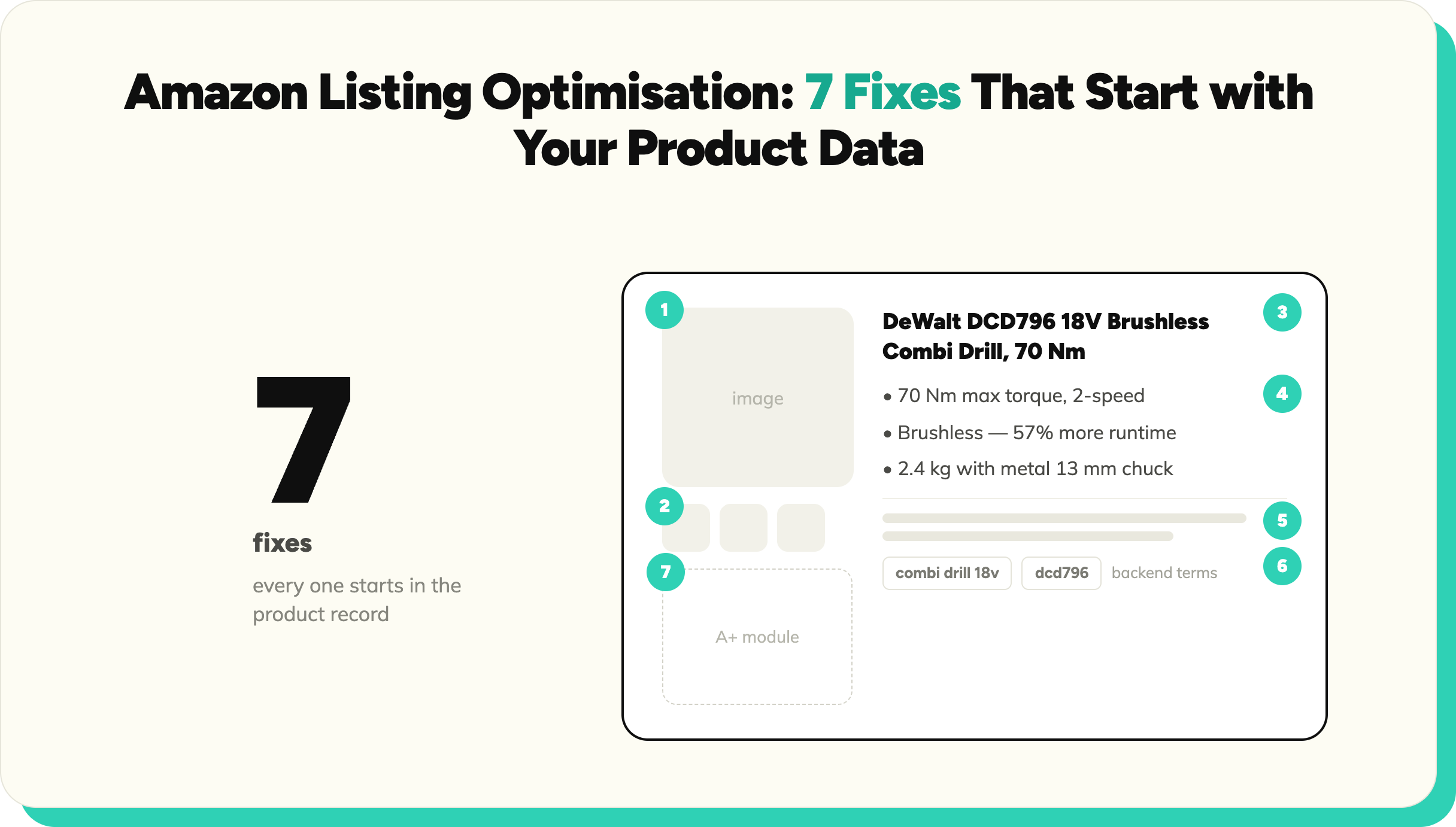
Most underperforming Amazon listings share one root cause: the structured data behind the listing is incomplete or wrong.
Amazon listing optimisation advice usually starts with keywords and ends with advertising. Both matter, but for retailers and distributors listing at volume, most underperformance has a duller cause: the structured data behind the listing is incomplete, inconsistent, or wrong. Amazon's search, filters, and suppression rules all run on item attributes. Fix the data and the tricks start working. Skip the data and no amount of title tweaking rescues a listing the algorithm cannot classify.
Why Amazon listings underperform
Three patterns cover most weak listings at catalogue scale. First, missing item specifics: Amazon cannot surface a product in filtered browse or match it to specific queries when the attribute fields are empty. Second, inconsistency across a range: forty variants listed by three different people over two years, each with different title structures and units. Third, suppression and rejection: listings that violate category requirements get flagged or never go live, a cost covered in more depth in the cost of bad product data. All three trace back to the same source: supplier data that arrived incomplete and went to the channel unenriched.
Seven Amazon listing optimisation fixes
1. Complete the attribute set before touching copy
Item specifics are the highest-leverage field group on the listing. They drive filtered browse, query matching, and eligibility for category features. Work category by category: pull Amazon's requirements for the product type, map them to your product records, and fill every field you can support with verified data. This is standard product data enrichment work, and it is the fix that makes every other fix on this list stick.
2. Build titles from attributes, not inspiration
Amazon publishes style guidance per category, and the pattern is consistent: brand, product type, and the differentiating attributes in a readable order. Titles assembled from the structured record (brand, range, size, colour, count, key spec) are accurate, consistent across variants, and match how buyers actually search. Titles written free-hand drift, repeat keywords, and break the pattern across a range. Character limits vary by category, so check the current style guide for yours rather than assuming one number.
3. Make bullets carry verifiable specifications
Bullet points sell to humans and feed the algorithm; both reward specifics. A bullet that states the material, the dimensions, the compatibility, or the certification does more work than one that promises quality. Generate bullets from verified attributes and each one is checkable against the record; write them from imagination and returns follow. Buyers in technical categories, tools, parts, and components especially, buy on specification.
4. Use backend search terms for what the surface cannot say
The backend search terms field is for synonyms, alternate names, and regional spellings that do not belong in visible copy. Fill it with terms the listing does not already contain; repeating words from the title wastes the space. Keep within Amazon's current length limit for the field, avoid competitor brand names (a policy violation), and skip punctuation-heavy variations the matching engine handles anyway.
5. Meet the image requirements before adding the nice-to-haves
The main image rules are strict and enforced: the product on a plain white background, filling most of the frame, with no logos, watermarks, or added text. Listings breaking these rules get suppressed. Beyond compliance, additional images that show the specification (dimension diagrams, contents, fitment) reduce returns in exactly the categories where bullets alone cannot carry the detail.
6. Treat A+ content as structured data, rendered
A+ content lifts conversion when it answers the questions the standard listing cannot: comparison tables across a range, specification blocks, application guidance. The efficient way to produce it at catalogue scale is from the same structured records that feed the listing, so the comparison table is generated from attributes rather than rebuilt by hand per product family. Teams doing this manually produce A+ for their top sellers and never get to the long tail.
7. Keep parent-child variations clean
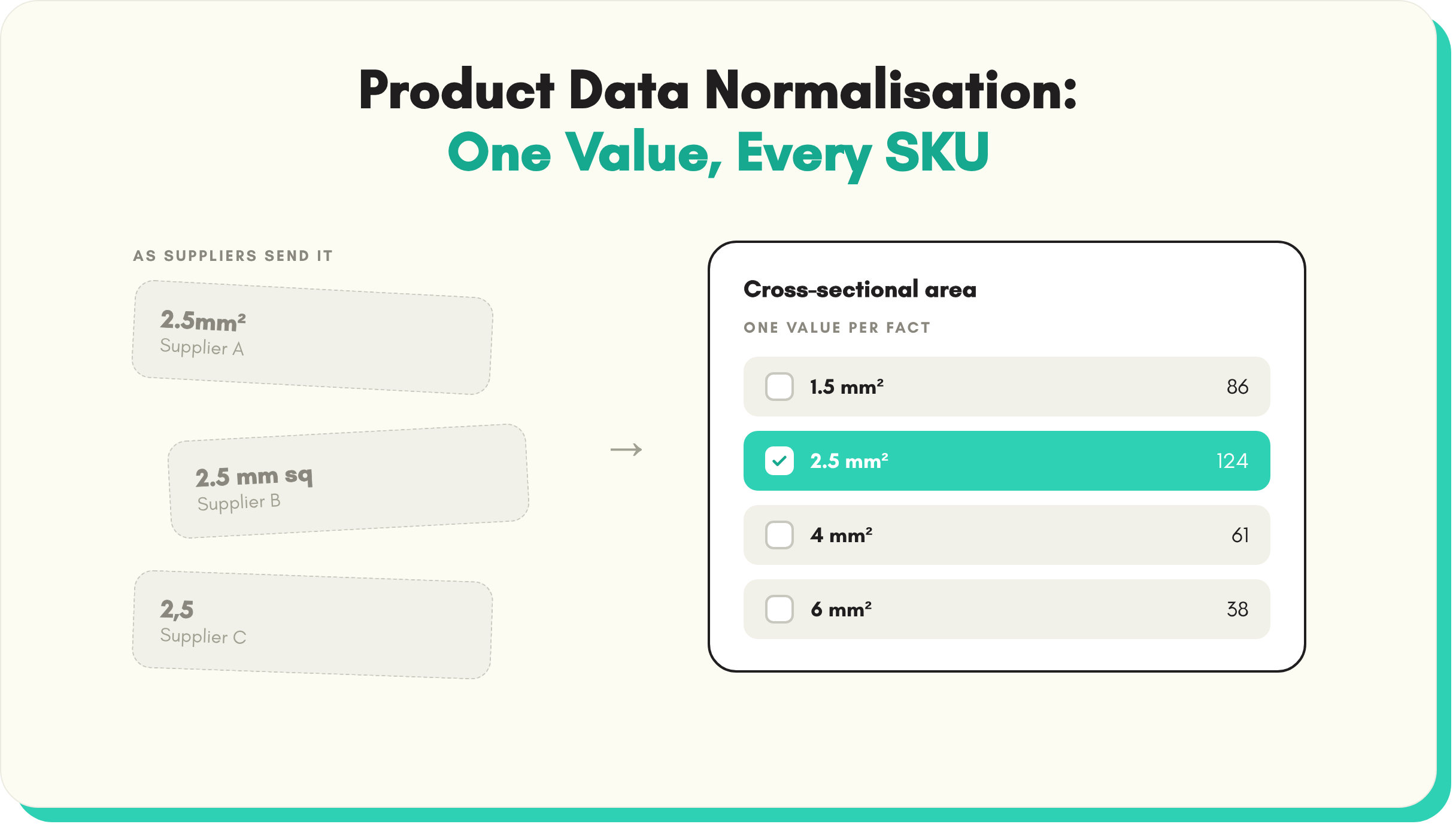
Variation families are where inconsistent data hurts most. Children with mismatched attribute values fragment the family, break the size and colour selectors, and split reviews. Before listing a family, normalise the shared attributes across every child (same units, same value formats, same terminology) and vary only the fields that genuinely vary. This is tedious by hand across hundreds of families and mechanical for a product data enrichment pipeline.
What improves when the data is right
Expect movement in four places, in roughly this order: fewer suppressed and rejected listings (the compliance effect), better placement in filtered browse (the attribute effect), improved conversion on specification-driven categories (the content effect), and fewer returns citing wrong or missing information. The scale of each depends on how bad the starting data was, and teams selling through multiple marketplaces see the same fixes pay again per channel, which is the case for treating marketplace listings as an output of one enriched catalogue rather than as separate per-channel projects.
Key takeaways
- Amazon listing optimisation starts with complete, verified item attributes; search, filters, and suppression all run on them.
- Titles, bullets, and A+ content built from structured records stay accurate and consistent across ranges; free-hand copy drifts.
- Backend search terms are for what the visible listing does not say, within Amazon's current limits.
- Main image compliance is binary: break the rules and the listing is suppressed.
- Variation families need normalised attributes across children before listing, not after the selectors break.
- Fix the catalogue once and every channel inherits the improvement.
See it in practice: fix Amazon listings suppressed for missing attributes, generate product feature bullets and key benefits and remove product image backgrounds in bulk.
See SKULaunch in action
Watch how we handle AI enrichment, supplier onboarding, and catalogue scale in a live 30-minute demo.


.avif)