
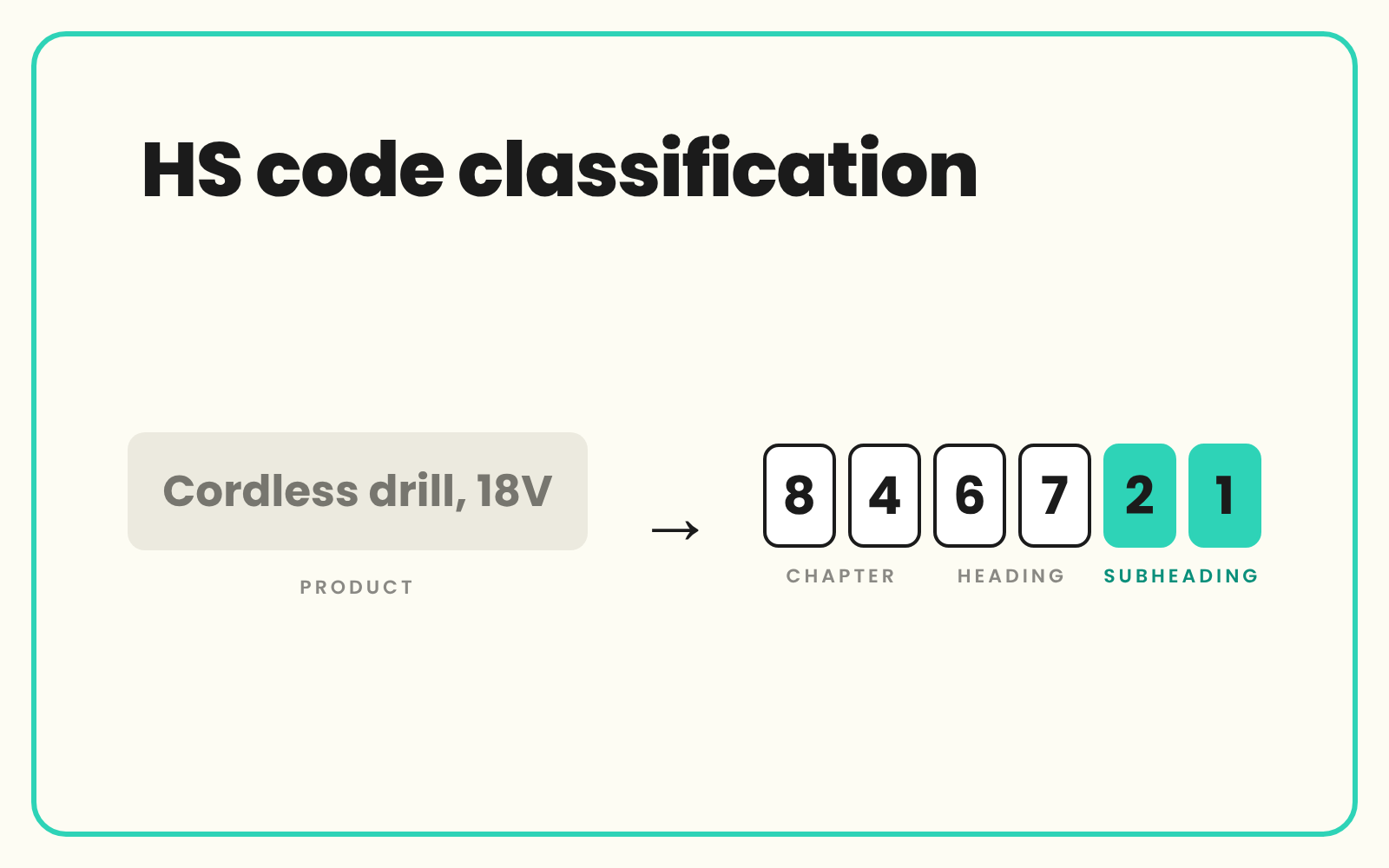
HS code classification gives every product the six-digit Harmonized System code that customs authorities use to identify goods, which each country then extends into its own tariff or commodity code. If you import, export or sell cross-border, that code needs to sit on every SKU, not in a broker's inbox. SKULaunch can be set up to suggest HS or commodity codes from the data you already hold, so your team and your broker review a proposal instead of starting from a blank column.
The problem
Most catalogues hold HS codes in the wrong place, or not at all. The code lives in a freight forwarder's spreadsheet, on a customs entry from two years ago, or in the head of a buyer who has since left. When you add a cross-border marketplace, quote landed cost or move a range to a new supplier, someone has to find it again.
Supplier codes help, but they are often the exporting country's code, out of date, or copied from a similar product. A code that is right at six digits can still be wrong at ten. And because the person who chose it rarely recorded why, every review starts from scratch.
Before and after
An illustrative example from a homewares importer's catalogue.
Before: the line in your catalogue
HW-2201, insulated drinks bottle 750ml, stainless steel, bamboo lid. HS code: blank. Supplier sheet: an eight-digit code with no source. Buyer note: "same as last year's bottle?"
After: classified in SKULaunch
- HS code: a six-digit subheading suggested from material, function and construction, held as text so leading zeros survive
- Basis recorded: double wall stainless steel vessel, bamboo lid, 750 ml capacity
- UK commodity code: a separate ten-digit field, completed and confirmed by the customs broker
- Country of origin held alongside, collected through the supplier portal
- Status: approved in the grid, ready for landed cost and marketplace templates
How it works in SKULaunch
- Load the code list. An HS or national commodity code list is loaded as a classification next to your own taxonomy, the same way ETIM, UNSPSC or GS1 GPC are held.
- Suggest codes from product data. A code is suggested from the title, description and attributes such as material, function and construction, then written to an HS code attribute.
- Review in the grid. Your team or broker checks each suggestion against the product, corrects it where needed and approves it before the value is used.
- Export where it is needed. Approved codes go out in marketplace templates, customs data files and landed cost sheets, with country of origin alongside.
Availability depends on your set-up and the code list you need, so treat this as a supported workflow to confirm with us rather than a switch you turn on.
How HS code classification is structured
The Harmonized System is maintained by the World Customs Organization and used by most trading countries. Its first six digits are shared internationally. Read them in pairs:
- Chapter, first two digits. A broad group of goods, such as a material or a type of product.
- Heading, first four digits. A narrower group within the chapter.
- Subheading, first six digits. The most specific level agreed internationally.
Beyond six digits, each country or customs union extends the code for its own duty rates and statistics. UK import commodity codes are ten digits, while eight digits are used for UK exports. The EU Combined Nomenclature uses eight digits and the US Harmonized Tariff Schedule uses ten. So one product can carry the same six-digit HS code everywhere and a different full code in each market you trade with. The WCO revises the system roughly every five years, so record which edition a code was assigned against.
Common HS code mistakes in product data
- Storing codes as numbers. Chapters 01 to 09 start with a zero, and a spreadsheet will drop it. Hold codes as text.
- Classifying by name. Headings turn on what the product is made of, what it does and how it is built. "Gift set" or "accessory" in a title tells you nothing.
- Assuming the supplier's code is yours. A supplier's export code is a useful hint, not the full code for your import market.
- One field for every market. Hold the six-digit HS code once and a full code per destination you ship to.
- No audit trail. Record who confirmed the code and on what basis, so a query from customs or a marketplace can be answered quickly.
- Ignoring revisions. When the nomenclature changes, codes on older products need checking.
Manual versus at scale
For a few dozen products, a broker or a trained buyer with the tariff lookup is fine. Past a few hundred, the bottleneck is not the lookup. It is gathering the product facts the decision depends on: material, composition, function, how the product is powered. That is product data work, and it is where most of the time goes. Get the attributes right first and both suggestion and review get faster, because the reviewer is checking a proposal against a complete record rather than chasing the supplier for basics.
Who is responsible for the final code
The importer is responsible for declaring the correct code, usually with a customs broker. SKULaunch does not make customs decisions or give classification advice. It holds the product facts, suggests a starting point and keeps the confirmed code on the product record, so the same value is used everywhere.
What changes
Codes sit on the product, not in an email thread. New ranges arrive with a suggested code to review, and every channel that needs one gets the same confirmed value.
Common questions
What is the difference between an HS code and a commodity code?
The HS code is the six-digit international code. A commodity code is a country's extension of it, such as the ten-digit UK import code, which adds detail for duty and statistics.
Can SKULaunch assign HS codes automatically?
SKULaunch can be set up to suggest HS or commodity codes from product data, with every suggestion reviewed before use. Availability depends on your set-up and code list, so confirm it with us.
Who is responsible for the HS code on a product?
The importer, usually working with a customs broker. SKULaunch holds the data and the confirmed code. It does not give customs advice.
Can we hold different commodity codes for different countries?
Yes. Keep the six-digit HS code as one attribute and a full code per destination market as separate attributes on the same product.
How is HS code classification different from UNSPSC?
HS codes are for customs and duty. UNSPSC classifies spend for procurement. Many distributors need both, held side by side.
Do HS codes change?
Yes. The WCO revises the Harmonized System roughly every five years, and national tariffs change more often. Record the edition you classified against.
More on UNSPSC classification, capturing country of origin for every SKU, automatic product categorisation and the taxonomy and schema builder.

.avif)