
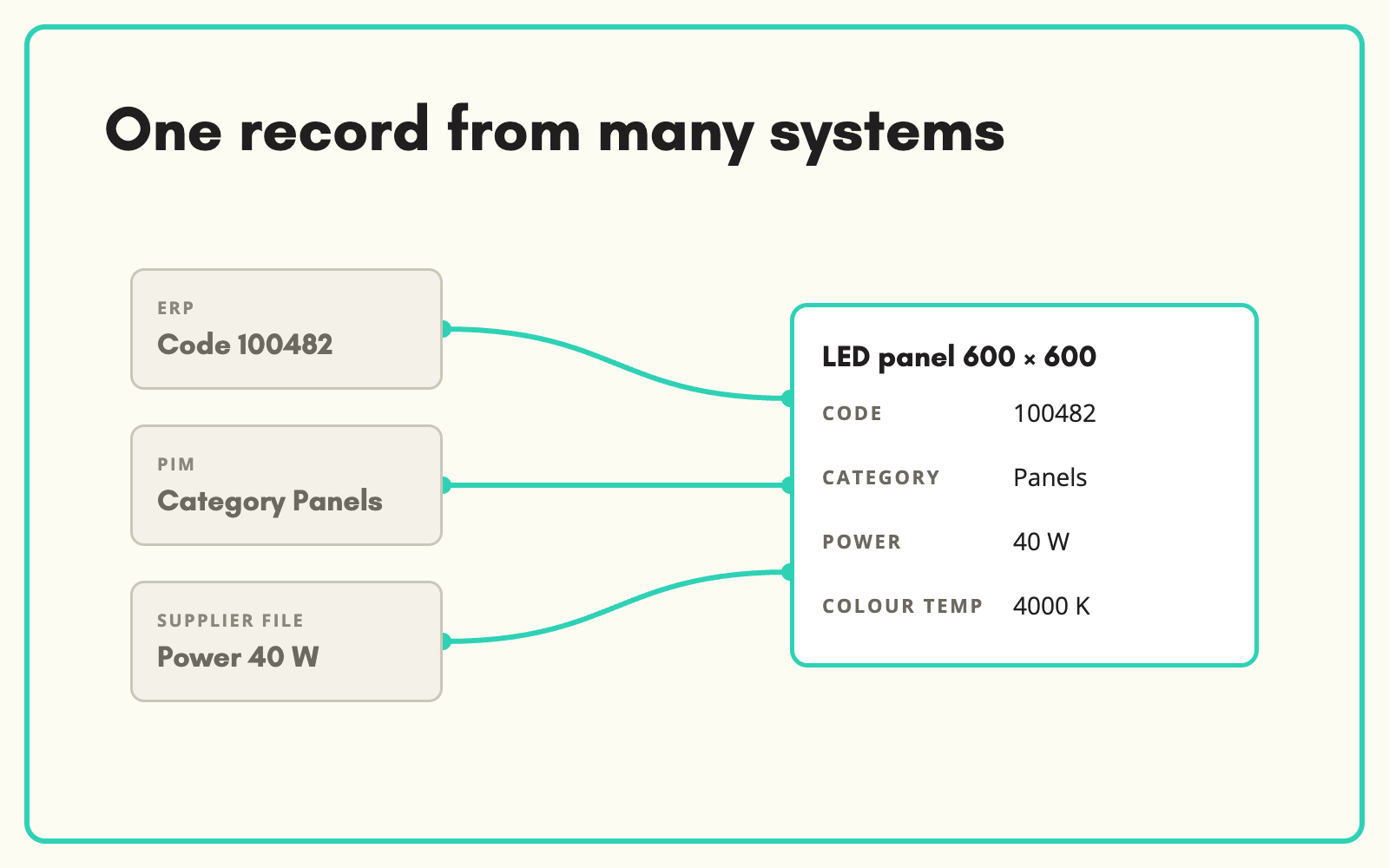
The same product often lives in three places: the ERP, the PIM and a supplier file, each with different descriptions and values. SKULaunch brings those sources together into one record per product, matches them on a shared identifier, and uses source priority to decide which value wins.
The problem
When product data is spread across systems, nobody trusts any single one. The ERP has the right code but a useless description. The PIM has a better description but an old weight. The supplier file has the current spec but none of your categories. Teams reconcile by eye, product by product, and the website ends up with whichever version was updated last.
Before and after
An illustrative example of one product in three systems.
Before: three versions of the truth
ERP: "PUMP SUBM 750W", weight blank. PIM: "Submersible pump", weight 9.2 kg. Supplier file: "750W submersible drainage pump", weight 8.9 kg, new datasheet.
After: one record in SKULaunch
- Records matched on the shared part number
- Weight 8.9 kg from the supplier datasheet, ranked above the older PIM value
- Title and description rebuilt from the consolidated attributes
- ERP code and PIM ID kept on the record for traceability
How it works in SKULaunch
- Import each source. Load the ERP extract, the PIM export and supplier files.
- Match on an identifier. Records are matched on the field you choose, such as your SKU, supplier part number or EAN, rather than an assumed single ID.
- Apply source priority. Decide which source wins for which attribute. By default supplier data and datasheets rank above web data.
- Review conflicts and publish. Check where sources disagreed, approve, and publish one record to every channel.
Decide who owns each attribute
Consolidation fails when every system can overwrite every field. Agree ownership up front: the ERP owns codes, prices and stock units; the supplier owns technical specifications; your team owns titles, descriptions and categories. Encoding that as source priority means the merged record follows the same rules every time, instead of whoever saved last.
What changes
One trusted record per product, with every value traceable to the source it came from.
Common questions
What if products do not share an identifier?
Choose the best available match key per source. Products that cannot be matched are flagged for a decision rather than duplicated.
Can we keep the original systems?
Yes. SKULaunch consolidates and enriches, then publishes back to the systems you keep.
Which value wins in a conflict?
The one from the source you rank highest for that attribute.
See how to use the most trusted source, ERP product data, and catalogue enrichment.

.avif)