
Add-on Module

Fitment data without the spreadsheets.

Every part linked to the vehicles it fits. SKULaunch reads all industry fitment standards, from ACES and PIES to TecDoc, and stores the results as applications and fitments you can search, edit and publish.

How it works

Parts in. Fitment out.

Fitment data arrives in a dozen formats, and every supplier sends a different one. SKULaunch reads them all and structures each into applications and fitments your team can search, filter and export.

📄

Applications

Every vehicle is stored once as an application: manufacturer, primary designation, model, year range and engine, in whatever application types you define.

🔗

Fitments

Each part links to its applications through fitment records that carry relationship, quantity, fitting position and fitting notes, so the same part can fit hundreds of vehicles without duplication.

🌐

One catalogue

Fitment sits alongside the rest of your product data, so enrichment, validation and publishing all work on fitment records too.

Fitment standards

ACES, PIES, TecDoc and more.

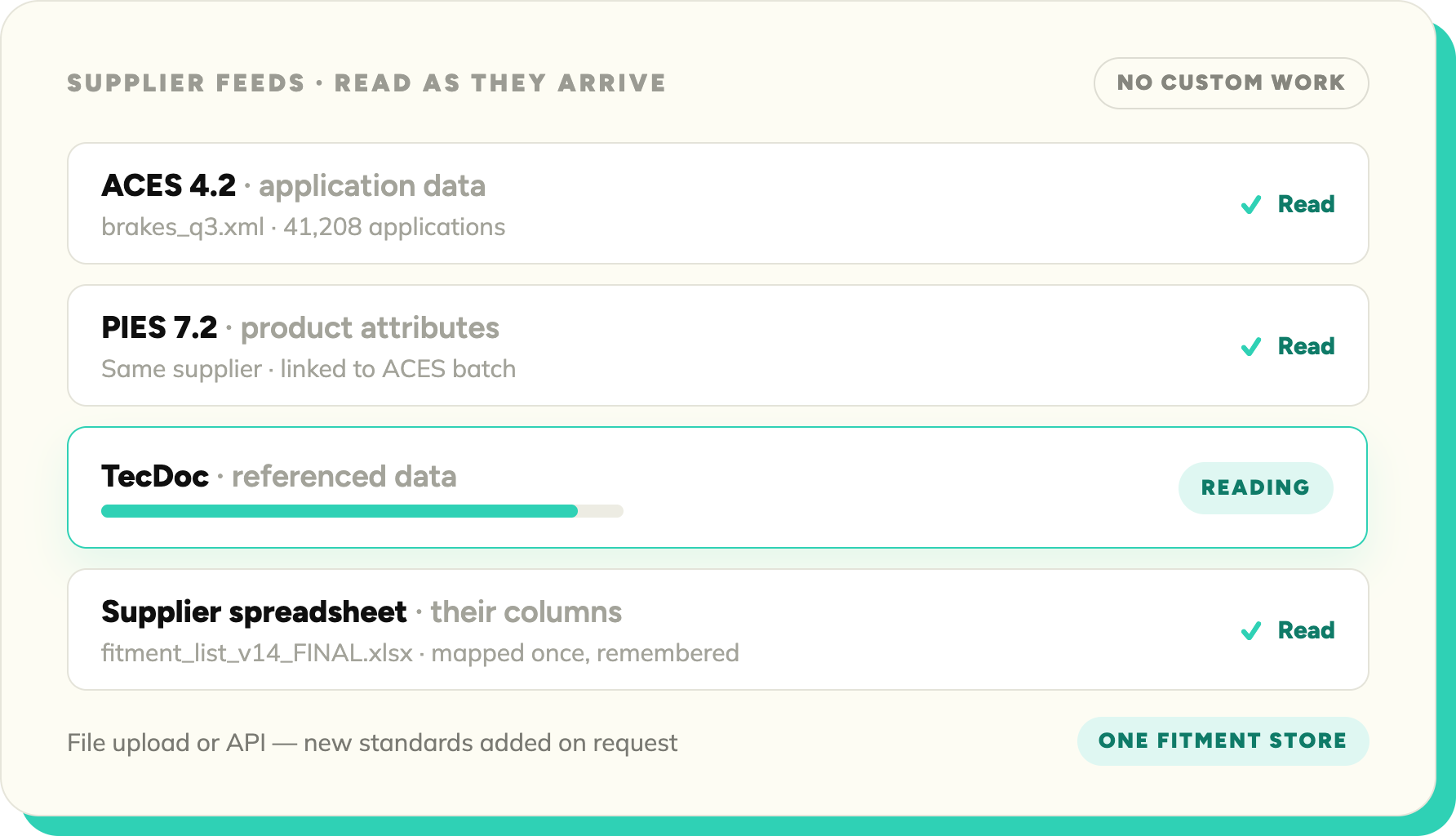
SKULaunch reads all the fitment standards used in automotive and parts distribution. Whatever format your suppliers send, it comes in without custom work.

Blue check mark symbol indicating completion or approval.
ACES and PIES application data
Blue check mark symbol indicating completion or approval.
TecDoc referenced data
Blue check mark symbol indicating completion or approval.
Supplier spreadsheets and custom formats
Blue check mark symbol indicating completion or approval.
File upload or API
Blue check mark symbol indicating completion or approval.
New standards added on request
The data model

Applications and fitments, not rows in a spreadsheet.

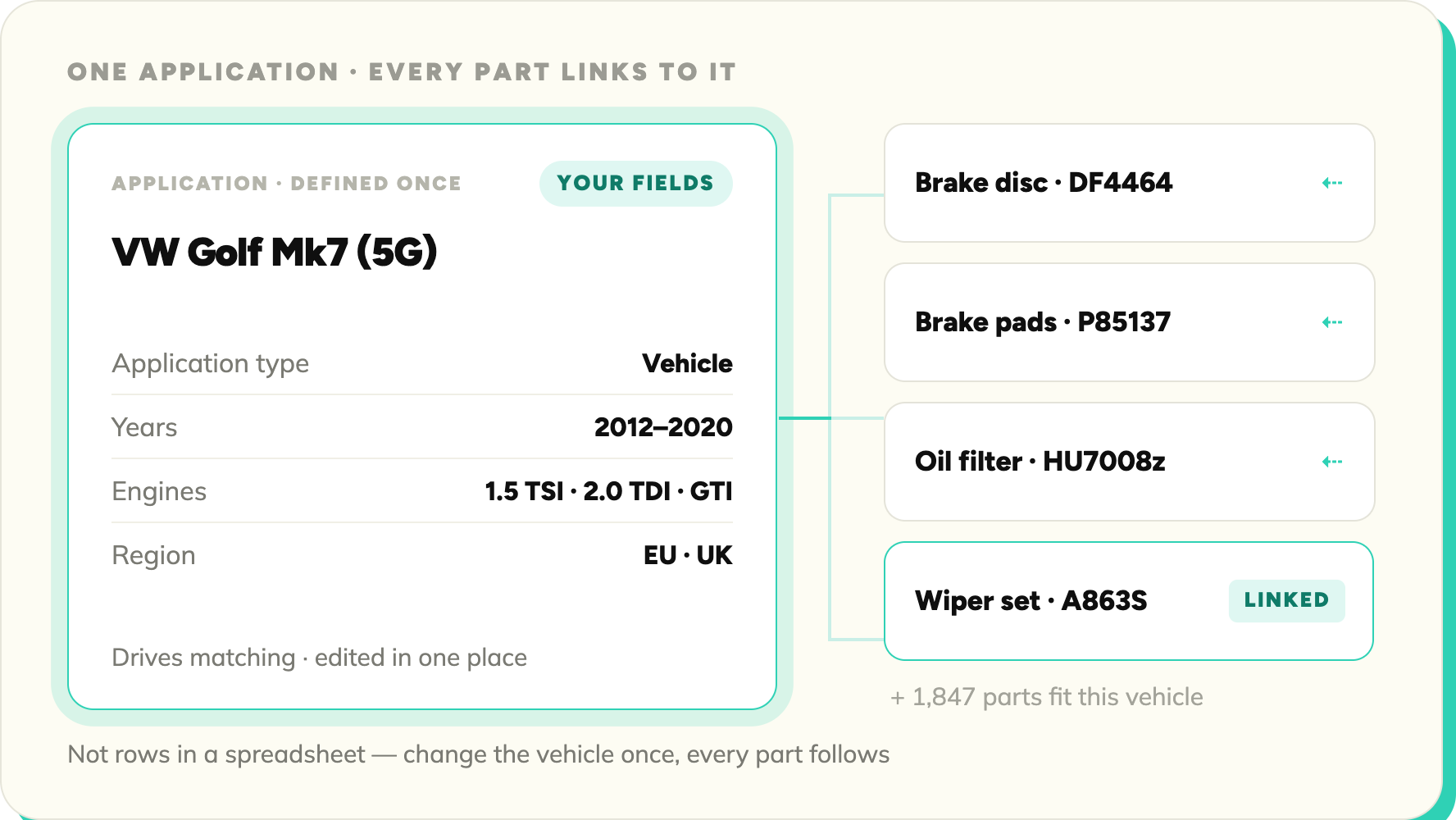
A vehicle is defined once and every part that fits it links to that single definition. You control the model: application types for vehicles, trailers or anything else, your own fields on each, and your choice of which fields drive matching.
Blue check mark symbol indicating completion or approval.
Define your own application types, from vehicles to trailers
Blue check mark symbol indicating completion or approval.
Add your own fields and choose which ones drive matching
Blue check mark symbol indicating completion or approval.
Year ranges, engines and regional variants on every application
Blue check mark symbol indicating completion or approval.
Search, filter, bulk edit and export fitments like any other data
ADD-ON

An add-on, not another platform.

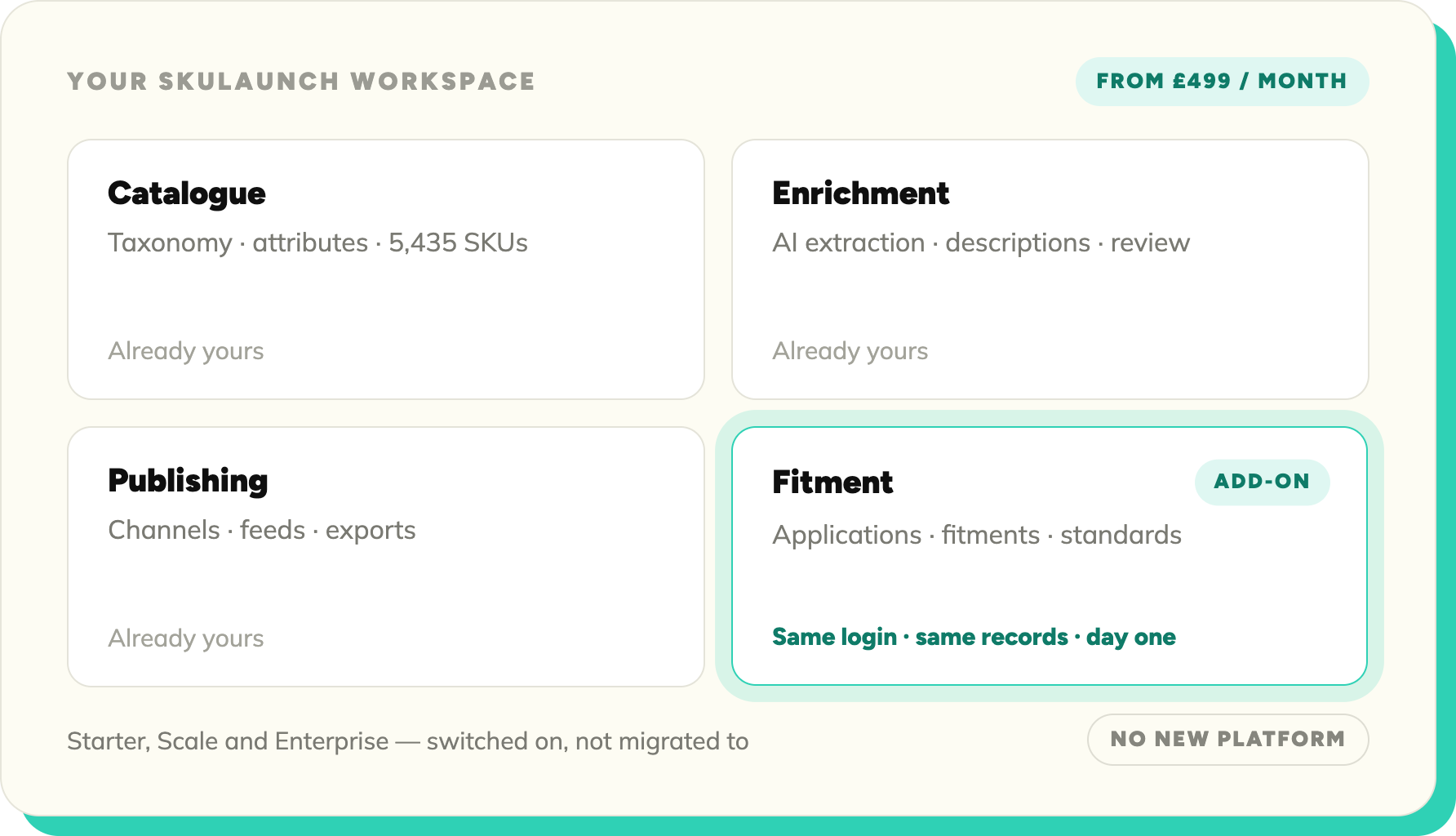
Add the Fitment Module to any SKULaunch plan for a fixed monthly price, from £499 a month. It runs inside your existing workspace from day one.
Blue check mark symbol indicating completion or approval.
Fixed monthly price, from £499
Blue check mark symbol indicating completion or approval.
Available on Starter, Scale and Enterprise
Blue check mark symbol indicating completion or approval.
Reads all industry fitment standards
Blue check mark symbol indicating completion or approval.
Runs inside your existing SKULaunch workspace
Blue check mark symbol indicating completion or approval.
Full details on the pricing page
Platform

Explore the full platform

The Fitment Module is one component. See what it plugs into.

SOURCE ONBOARDING

Supplier Portal

Capture data directly from your suppliers with embedded mapping & normalisation.

Explore →
SOURCE ONBOARDING

Imports & Spreadsheets

Upload files and let AI map columns, detect issues, and structure records fast.

Explore →
SOURCE ONBOARDING

Standards & Data Feeds

Ingest ETIM, BMEcat and GS1 feeds and map them to your schema.

Explore →
ENRICHMENT & CONTENT

Enrichment Studio

Once your standards data is in, fill the gaps with AI enrichment.

Explore →
Data structure

Mapping & Normalisation

Standardise values across every source - including standards-based data.

Explore →

See fitment data in SKULaunch

Book a demo and we'll show the Fitment Module running on parts like yours.

© 2026 SKU Launch Ltd. All rights reserved.
Built for e-commerce teams who are done doing it by hand.